
Sky Internet Calls is Sky's digital landline, and it behaves nothing like the copper phone line it replaces. The handset now plugs into the back of the Sky hub, the wall sockets go quiet, and a switch can leave the internet working while the phone does not. This guide covers where Sky's own guides say the phone plugs in on the Sky Broadband Hub and the white Max Hub, what Sky says about activation and keeping your number, the full no dial tone ladder, and the honest limits of a landline that dies with the power.
Sky Internet Calls runs your landline through the Sky hub, and Sky's setup guides say the phone plugs into the hub's UK port, not a wall socket. Sky's troubleshooting says to switch the hub off and on, or to turn the hub and ONT off for an hour after a switch in the last 30 days. On the Sky Broadband Hub, an amber or unlit voice light is Sky's cue to reset.
Key Takeaways
- Sky's setup guides say the handset plugs into the UK port on the back of the Sky Broadband Hub or Sky Max Hub, and Sky says a phone plugged into a wall socket will not work on Internet Calls.
- If no calls work after moving to Internet Calls in the last 30 days, Sky's phone troubleshooting says to switch off the hub and the ONT for 1 hour, then switch both back on.
- Sky's phone troubleshooting asks for the voice light colour on the black Sky Broadband Hub (SR203), while for the white Sky Max Hub (SR213) it says to contact Sky if calls cannot be made or received.
- Sky's own checks for a dead line include the port marked UK, a different phone in the same port, preferably corded, and switching the hub off and on before getting in touch.
- Sky's Internet Calls help page says calls stop in a power cut, including calls to the emergency services, and asks anyone without another way to reach them to fill in Sky's mobile coverage form, so do that before an outage proves the point.
Sky Broadband Hub (SR203) Voice Light Meanings
| Light | What it means | What to do |
|---|---|---|
| Green | Sky's phone troubleshooting treats a green voice light as the cue to check whether the phone is working. | If calls still fail, follow Sky's checks: the phone in the port marked UK, a different phone in the same port, then switching the hub off and on. |
| Amber | Sky's phone troubleshooting gives the same next step for amber as for an unlit voice light, and does not say what causes it. | Sky says to hold Reset on the back of the hub for 10 seconds until the front lights blink, which restores the default WiFi name and password, then get in touch if the voice light stays amber. |
| Off | Sky's phone troubleshooting gives the same next step for an unlit voice light as for amber, and does not say what causes it. | Reset the hub as Sky describes and wait for the power, wifi and internet lights to go green; Sky says to get in touch if the voice light is still off. |
Sky Internet Calls Moves Your Landline Onto the Broadband Line
Sky Internet Calls is Sky's name for a digital landline, and Sky's Internet Calls help page says the technology is also called VoIP. Instead of a voice signal travelling down a copper pair, your calls travel over the broadband connection, and the Sky hub does all the conversion between the ordinary telephone handset and the internet. The same page says Sky Talk comes with Internet Calls on Sky's Full Fibre, Ultrafast, Gigafast, Full Fibre Gigafast and Gigafast+ packages, and might on Sky Broadband Superfast. It also says Openreach aims to remove its traditional phone equipment by January 2027, and that Sky will only remove traditional Talk by then for customers whose Sky Talk is not provided on the Sky Network.
Sky's way to tell whether you have it is the bill. Sign in to My Account, view your bill and open Broadband & Talk: Sky says Sky Talk Internet Calls means you have it, while Sky Talk Line Rental means a traditional phone line.
Sky's help page says all home phone providers are upgrading their networks, and the fixes rhyme across all of them. The wider Digital Voice not working guide covers the equivalent ladders for BT, EE, Virgin Media and Vodafone if you are troubleshooting a different household.
The Phone Plugs Into the Hub and Not the Wall Socket
Once Internet Calls is active, Sky says your phone will not work if it is plugged into a master socket or any other phone socket. The handset, or the base station of a cordless phone, must plug directly into the Sky hub.
Both hubs use the same port. Sky's Internet Calls setup guides for the black Sky Broadband Hub (SR203) and the white Sky Max Hub (SR213) all say "Plug your home phone into the UK port", using the cable that came with the phone, and Sky's phone troubleshooting describes it as the port marked UK on the back of the hub. Do not plug the phone into the purple port, which Sky's guides use for the broadband cable from a phone socket, or into the yellow Ethernet port marked WAN, which Sky's guides use for the cable from the ONT on full fibre.
One confusion is worth killing directly. Internet Calls does not mean the handset joins your WiFi: Sky's guides connect the home phone to the hub with a cable. With a cordless phone it is the base station that plugs into the hub.
Activation Day and the First 30 Days After a Switch
Sky's activation help page says Sky Broadband & Talk goes live on your activation date, at any time up to midnight, and that Sky sends a text when you are up and running if it has your number. Sky's hub guides say to wait until that date before setting up the hub.
Sky's phone troubleshooting has a specific step for a phone that stopped after the move. If you went from a traditional phone line to Internet Calls in the last 30 days and cannot make or receive any calls, Sky says to switch off the hub and the ONT at the mains, leave both off for 1 hour, switch them back on, and wait for the ONT's Power and PON lights to go green and the hub lights to return to normal before trying the phone. There is no internet during that hour, and Sky asks anyone with a care alarm to get in touch instead.
If the phone is still dead after that, Sky says to get in touch. On the SR203, Sky's voice light steps also include a reset: hold Reset on the back of the hub for 10 seconds until the front lights blink, which puts the WiFi name and password back to the defaults on the back of the hub. Sky's Max Hub guides reset that hub by holding the WPS button on the side for 30 seconds until the light flashes green, then waiting for a solid white light.
The No Dial Tone Ladder Runs From Quick Checks to a Fault Report
Work down this ladder in order, starting with the quickest checks.
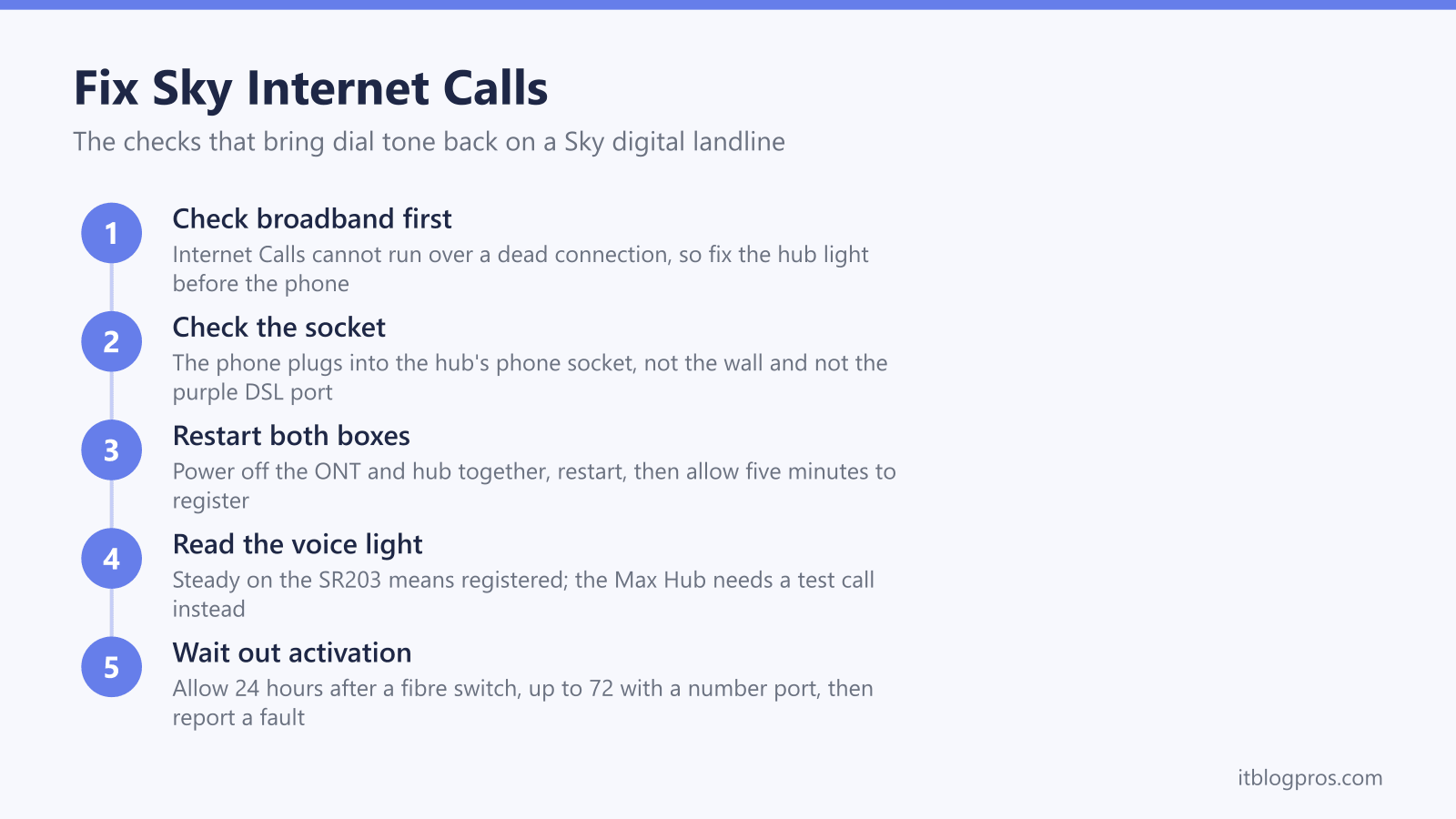
- Confirm the broadband works. Internet Calls cannot run over a dead connection, so start where Sky's phone troubleshooting does: check Sky's Service Status page and try browsing the web. The Sky Broadband Hub lights guide decodes every state for both hubs. Fix broadband before touching the phone.
- Check the phone lead. Sky says it belongs in the port marked UK on the back of the Sky Broadband Hub or Max Hub, not the purple port Sky's guides use for the broadband cable, not an Ethernet port and not the wall.
- Switch the hub off and on. Sky says to switch it off at the mains for a few seconds, switch it back on and wait a few minutes for the lights to return to normal. If you moved to Internet Calls in the last 30 days and no calls work, Sky says to switch off the hub and the ONT for 1 hour instead.
- Read the voice light on the SR203, using the table above: Sky's steps say green means check the phone, while off or amber means reset the hub. For the Max Hub, Sky says to contact it if you cannot make or receive calls.
- Swap the handset. Sky says to try a different phone, preferably a corded one, in the same port, check a cordless phone has mains power or charged batteries, and check with the manufacturer that the phone works with Internet Calls.
- Work through Fix problems with your phone at sky.com/help, which also covers poor call quality, unusual dial tones and wrong numbers.
- Get in touch with Sky. Sky says to do so if the SR203 voice light stays amber or off after a reset, and its phone help sends Max Hub owners who cannot make or receive calls straight to contact.
On the SR203, Sky's setup guide gives the settings page at 192.168.0.1, with the username admin and your WiFi password; Sky's Max Hub guides say that hub's settings are managed in the My Sky app. The Sky Hub login guide covers the admin panel in more detail.
The Sky Broadband Hub Voice Light Sets Sky's Next Step
The black Sky Broadband Hub (SR203) has a voice light that the newer hub lacks, and Sky's phone troubleshooting asks for its colour. Sky lists three states: green, amber and off. For green, Sky says to check whether the phone is working and to use its phone help if it still is not. For off or amber, Sky says to reset the hub, wait for the power, wifi and internet lights to go green, and get in touch if the voice light is still off or amber. Sky's troubleshooting does not say what causes an amber or unlit voice light.
The white Sky Max Hub (SR213) has a single light on the front, and Sky's lights page says a white light means the hub is working and connected to the internet; it says nothing about calls. For that hub, Sky's phone help says to contact Sky if you cannot make or receive calls, and a test call from a mobile shows whether the landline rings. The table above sets out the SR203 states and Sky's next step for each.
Keeping Your Number Starts With the Order
Sky's switching help page says that most of the time you can keep your existing landline number when moving to Sky Talk, as long as you tell Sky the number and your current landline provider when you order. Sky's activation help page says Track your order shows your phone number.
If Sky cannot transfer the number, it says you will get an email or letter with your new number, which you can also see in My Account. Sky also says customers switching from NOW Broadband get a new number because theirs cannot be transferred.
If your order shows a new number when you asked to keep the old one, contact Sky before the switch happens rather than after. If calls show the wrong number once the service is live, Sky's phone troubleshooting for that problem checks the phone is in the port marked UK and then resets the hub.
A Power Cut Silences Internet Calls, So Plan Ahead
Sky's Internet Calls help page is blunt about this. It says that if your power fails or there is a broadband outage you will not be able to make any calls, including to the emergency services, and that your phone will not work if the hub is switched off or there is a power cut. Because the phone works through the hub, an old corded handset is not a fallback either.
Sky says it is important to have another way to contact the emergency services, such as a mobile phone with a strong signal, and asks anyone who does not to fill in its mobile coverage form. Sky's phone troubleshooting also asks anyone with a care alarm that plugs into the phone line to get in touch rather than work through the steps alone. Do both before the switch rather than after.
The wider picture, including the battery back-up options that keep a hub and ONT alive, is covered in the digital landline power cut rules guide.
The Sky Hub Stays Because Third Party Routers Cannot Carry Internet Calls
An honest caveat before anyone plans a tidy own-router setup: Sky's Internet Calls help page says the service only works with the Sky Broadband Hub, Sky Max Hub or Sky Gigafast+ Hub, so you need to use the hub Sky sends you. Sky also says the phone will not work if the hub is switched off, which means the Sky hub has to stay powered and connected for the landline to work.
That does not stop you improving the WiFi, as long as the Sky hub keeps doing broadband and phone duty. If you plan to add your own router or a mesh system behind it, check that device's manual for how it connects behind an existing router. What you cannot do is retire the Sky hub to a drawer and expect a dial tone.
If the phone works but the settings side of the hub is the mystery, the Sky Hub login guide walks through the admin panel, and the wider Digital Voice not working guide covers the same landline problems on every other UK provider.