
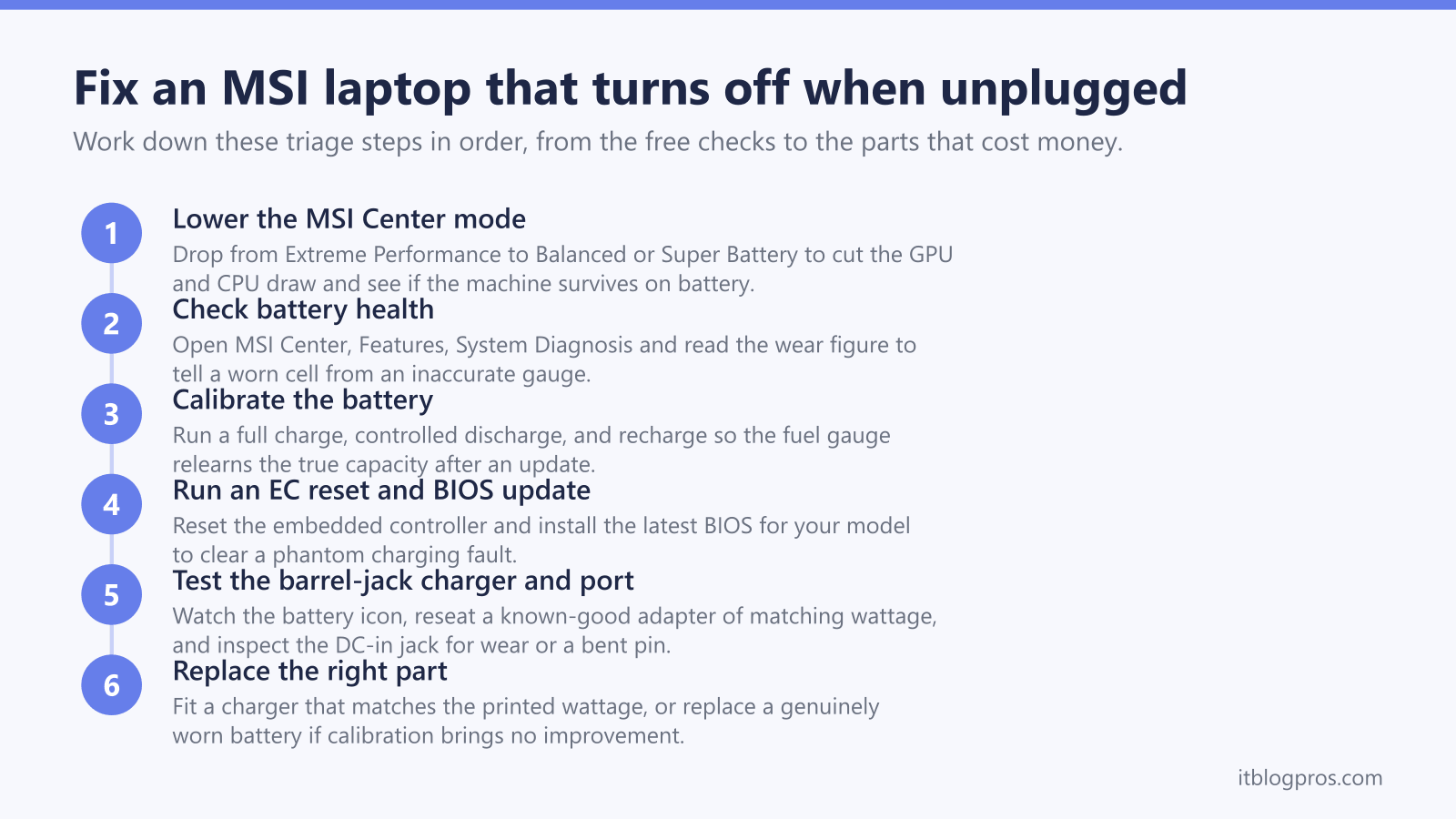
An MSI laptop that switches off the instant you pull the charger is almost always running on mains power because the battery cannot carry the load alone. On a gaming MSI that load is unusually high: a discrete GPU and a power-hungry CPU can ask for more current than a tired battery is able to deliver, so the machine drops dead the moment the brick is gone. The checks below isolate the cause in order, starting with the ones that cost nothing and ending with the parts that do.
An MSI laptop turns off when unplugged because the battery cannot sustain the GPU and CPU load on its own, or because it is flat, worn, or never charging fully. Lower the MSI Center performance mode, check battery health, reseat and test the high-wattage barrel-jack charger, run an EC reset and BIOS update, then replace the cell if wear is high.
Key Takeaways
- MSI gaming laptops draw heavy current for the GPU and CPU, so a worn battery that copes on a lighter machine cannot sustain the load and the laptop cuts out the moment mains power is removed.
- Dropping the MSI Center performance mode from Extreme Performance to Balanced, Silent, or Super Battery lowers the draw and can keep the machine alive on battery while the real fault is diagnosed.
- Battery health checked through MSI Center System Diagnosis tells you whether the cell is genuinely worn; a calibration and EC reset can restore an inaccurate gauge before any part is bought.
- Most MSI gaming models use a high-wattage barrel-jack brick of 180W to 280W, so a 100W USB-C charger will not power them and any replacement must match the wattage printed on the original adapter.
- A battery icon that flickers between charging and disconnected points to a worn DC-in jack, a loose plug, or a damaged cord rather than the battery itself, so inspect the port and cable before spending money.
A high GPU and CPU load is why MSI laptops fail this test first
A gaming MSI is not a thin-and-light. Under load the discrete GPU and the CPU together can pull far more power than a productivity laptop ever asks for, and that current has to come from somewhere. While the charger is connected the brick supplies it. The instant you unplug, the battery alone has to meet that demand, and a cell that has lost capacity simply cannot keep up. The voltage sags, the system protection trips, and the laptop switches off.
This is why an MSI can pass on the desktop and fail under a game. At idle the battery may hold the machine for a few minutes, then drop the moment a 3D workload spins the GPU up. If the shutdowns only happen when something demanding is running, suspect the battery before the charger. The related guide on a laptop that switches to battery while gaming covers the same high-load behaviour in more detail.
Lowering the MSI Center performance mode reduces the draw
MSI Center governs how hard the laptop is allowed to push. Its performance modes set the power envelope:
- Extreme Performance unlocks the highest clocks for AAA games and pulls the most current.
- Balanced trades some speed for efficiency and quieter fans.
- Silent holds the fans and clocks down for low-noise, low-power use.
- Super Battery drops consumption to the minimum for basic tasks on the move.
If the laptop dies on battery, open MSI Center and drop out of Extreme Performance into Balanced or Super Battery. A worn cell that cannot feed a full-tilt GPU may comfortably hold the machine in a lower mode. This is a diagnostic step as much as a fix: if a lower mode stops the shutdowns, you have confirmed the battery is no longer strong enough for full load and is on its way out.
Checking battery health in MSI Center separates a worn cell from a bad gauge
Before buying anything, find out what the battery actually is. Open MSI Center, go to Features, then System Diagnosis, and read the battery health status. A high wear figure on a battery more than two years old explains an instant shutdown on its own.
A gauge can also simply be wrong. A battery that reports a healthy charge yet dies in minutes often has a confused fuel gauge rather than a dead cell. MSI recommends calibrating the battery roughly every three months and after any major Windows or BIOS update, since those can disturb power management. A calibration is a full charge, a controlled full discharge, and a recharge, which lets the gauge relearn the true capacity. If two or three calibration cycles bring no improvement and wear is high, the cell is genuinely aged and replacement is the honest fix.
An EC reset and a BIOS update can clear a charging fault
MSI laptops manage charging through the embedded controller and the BIOS, and either can misbehave after an update. If the battery or charging status looks abnormal, MSI's own guidance is to perform an EC reset and update the BIOS to the latest version for your exact model.
An EC reset typically means shutting the laptop fully down, disconnecting the charger, and on models with the option holding the power button or using the reset pinhole, then reconnecting power. Pair that with the newest BIOS from the MSI support page for your model number, because battery-management fixes ship in those updates. This is a free step that has resolved phantom charging faults, so it is worth doing before any hardware is replaced. The wider all-brands random shutdown guide lists the same firmware checks for other makes.
The barrel-jack charger and DC-in port deserve a close look
A charger that never tops the battery up leaves the machine living on mains power, so the moment you unplug it the laptop dies. Test the charging path directly:
- Watch the battery icon. One that flickers between charging and disconnected points at the cable or port, not the cell.
- Connect the laptop straight to a wall outlet, not a surge strip or extension lead, to rule out a weak supply.
- Inspect the DC-in jack. Years of plugging, unplugging, and moving the laptop with the cord attached wear the port, and a loose or bent centre pin stops the contact needed to charge.
- Clean the port carefully with 90 percent isopropyl alcohol and check the barrel pin is straight and undamaged.
If a known-good charger of the correct wattage fixes both the charging and the shutdowns, the adapter was the fault. If the icon still flickers with a good charger, the jack itself needs attention. The generic sudden-shutdown guide walks through the same isolation for any brand.
Wattage matters more than the connector on a gaming MSI
Replacement power is where MSI owners go wrong. Most MSI gaming and content-creation laptops ship with a high-wattage barrel-jack brick, commonly 180W, 240W, or 280W, and that wattage is printed on the original adapter. Any replacement barrel-jack charger must meet or exceed that figure; an underpowered brick will run the machine but never fully charge it under load, which recreates the very shutdown you are trying to fix.
USB-C is where the caveat bites. On MSI gaming models, USB-C Power Delivery is designed only as backup power for light use on the go, not as the main charger, so a 100W USB-C charger cannot drive a 240W gaming laptop. By contrast, thin-and-light MSI lines such as the Prestige and Summit do charge over USB-C PD up to 100W. To check yours, look up your model on the MSI site, open the specification, and read what sits behind the Type-C entry in the I/O ports list.
A verified USB-C charger that fits the right MSI models
For MSI laptops that genuinely charge over USB-C, such as the Prestige and Summit thin-and-light lines, a reliable high-output USB-C PD charger is a sensible spare. The UGREEN 100W USB-C GaN charger delivers enough power to keep a 100W-class USB-C MSI topped up and is a compact replacement for a lost or failing brick.
The caveat is firm. This only applies to MSI models that charge over USB-C. The UGREEN will not power a high-wattage barrel-jack gaming MSI, because those need 180W to 280W through the proprietary DC-in jack and only treat USB-C as backup. Proprietary barrel-jack and Surface-style connectors must match the wattage on the original brick or use the official charger. Confirm your model takes USB-C charging on the MSI specification page before relying on any USB-C adapter.
