
A Ring doorbell lives in the worst WiFi spot in the house: bolted to an external wall, on the far side of a brick frontage, often a floor and several walls away from the router. When Live View takes ten seconds to load, motion alerts arrive late or the doorbell keeps dropping offline, the WiFi signal at the door itself is the first thing to check. When that signal is the problem, the fix is putting a signal source closer to the doorbell rather than buying a new router. This guide covers how to confirm the problem with the RSSI reading in the Ring app, when an extender genuinely will not help, and the three extenders and mesh kits picked for the job in UK homes, plus why Ring's current plug-in chimes are not a substitute.
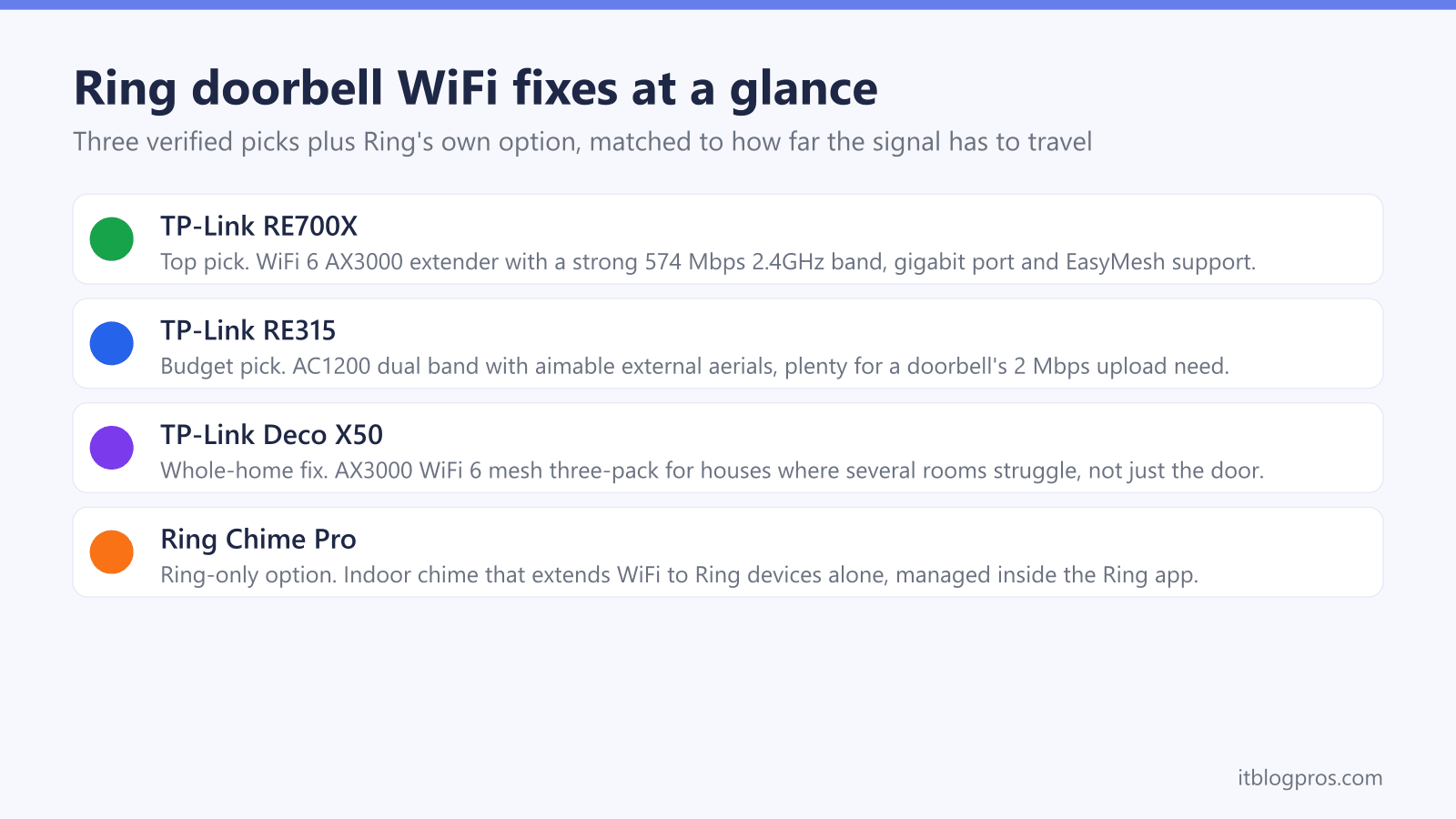
The TP-Link RE705X is the best WiFi extender for a Ring doorbell, pairing a strong 2.4GHz band with WiFi 6 speeds for the rest of the house. Plug it in roughly halfway between router and front door, reconnect the doorbell to its network, and aim for an RSSI of 0 to -60, which Ring rates as great. The TP-Link RE315 suits tight budgets, and the Deco X50 mesh fixes whole-home dead zones.
Key Takeaways
- Ring doorbells need a solid WiFi signal at the front door itself, and Ring's setup help says some Ring devices only support 2.4GHz, so the fix belongs near the door rather than next to the router.
- The RSSI reading in the Ring app's Device Health screen comes first; Ring's wifi recommendations page rates 0 to -60 as great, -60 to -70 as okay, -70 to -80 as poor and -80 or worse as very poor.
- The TP-Link RE705X is the strongest all-round pick, the RE315 covers a single weak spot on a budget, and the Deco X50 mesh suits homes where several rooms struggle.
- Any extender belongs roughly halfway between the router and the door, never in the socket nearest the doorbell where the signal is already poor.
- No extender fixes a flat doorbell battery, a broadband outage or a router with its 2.4GHz band switched off, so those need ruling out before spending anything.
A Ring doorbell needs a strong signal at the door, not at the router
Ring's setup help says some Ring devices only support 2.4GHz WiFi, and Ring's UK tech specs pages list 2.4GHz only for the Ring Video Doorbell (2nd Gen), Video Doorbell Wired, Wired Doorbell 2K (formerly Wired Video Doorbell (2nd Gen)), Battery Video Doorbell and Battery Video Doorbell Plus. The same spec pages list dual-band support, meaning 5GHz as well as 2.4GHz, for the Video Doorbell 3, 3 Plus and 4, the Video Doorbell Pro, the Wired Video Doorbell Pro (formerly Video Doorbell Pro 2), the Battery Video Doorbell Pro, the Battery Doorbell 4K Pro (formerly Battery Video Doorbell Pro (2nd Gen)) and the Battery Doorbell 2K Plus (formerly Battery Video Doorbell Plus (2nd Gen)). Ring's listings for the Battery Doorbell 2K, formerly the Battery Video Doorbell (2nd Gen), do not match: its UK product page says "WiFi 4, 2.4Ghz Single Band WiFi", while its support spec page says "Dual Band 2.4 GHz and 5 GHz". Ring's product name changes article says the new names show in the Ring app, where Device Health lists the Product Name, so check the exact model there.
Where a doorbell can use either band, 2.4GHz has range on its side: TP-Link's FAQ on the differences between 2.4GHz and 5GHz says 2.4GHz reaches farther than 5GHz. The problem in UK homes is distance and construction: the router typically sits by the master socket in a lounge or hallway, while the doorbell hangs on the outside of a solid brick or stone front wall. Ring's wifi recommendations page says walls made of brick, stucco or metal make wifi signals weaker still.
Upload speed depends on the model. Ring's wifi recommendations page lists the upload speed needed per device by video resolution: 2 Mbps for 1080p, 2.5 Mbps for 1536p, 10 Mbps for 2K and 15 Mbps for 4K, with at least 1 Mbps needed to work at all, and says to add the figures together for more than one Ring device. Ring suggests running a speed test next to the router and another where the Ring device is. If the test at the router clears the figure for your doorbell but the test at the door does not, signal strength at the door is the problem, and the fix is a second transmitter partway along the path, not a faster broadband package or a more expensive router in the same corner of the house.
Check the RSSI reading before spending anything
The Ring app reports exactly how strong the signal is at the doorbell, so there is no need to guess. Open the Ring app, choose the doorbell under Devices, then tap Device Health. The Signal Strength entry shows an RSSI figure, a negative number where values closer to zero are better.
Reading the number, on the scale Ring's Understanding wifi recommendations for Ring devices page gives:
- 0 to -60: great. Ring describes the performance as strong.
- -60 to -70: okay. Ring says it could be improved.
- -70 to -80: poor. Ring warns of possible delays and interruptions in service.
- -80 or worse: very poor. Ring warns of intermittent service or falling offline.
Ring's wifi recommendations page gives these ratings as numbers, not colours, so go by the number, and check it again while the problems are happening. If the RSSI sits at -70 while the doorbell is only eight metres from the router, something is weakening the signal: Ring's wifi recommendations page names walls made of brick, stucco or metal, big objects like fridges or ovens, electronics and mirrors, while Ring's wifi extenders article lists a neighbour's wifi signal overlapping yours among the things that weaken wifi and says to move a router that sits behind a sofa or in a cupboard. If the number is healthy and the doorbell still misbehaves, work through the Ring doorbell offline fixes instead, because the fault lies elsewhere.
The situations where an extender will not fix your doorbell
An extender solves one problem only: weak signal at the door. It is worth ruling out the other common failure modes first, because none of them respond to more WiFi.
- A flat or cold battery. Ring's Fixing offline devices page says to make sure a battery doorbell has a strong battery, and Ring's battery troubleshooting page says batteries drain faster when it is cold outside. Device Health shows the battery level; recharge before blaming the WiFi.
- A broadband outage. If every device in the house is offline, the extender has nothing to extend. Check another device or the ISP status page first.
- The router's 2.4GHz band is off or hard to pick out. A doorbell that Ring's spec pages list as 2.4GHz only cannot join a 5GHz network, and Ring's setup help says that when a separate 5GHz network does not appear during setup, connect to the 2.4GHz network instead. The Ring doorbell and Virgin Media Hub guide covers splitting the bands so the 2.4GHz network has its own name.
- A wiring or transformer fault on wired models. Ring's Fixing offline devices page says to check a hardwired doorbell is connected to the correct transformer or power source, and Ring's light pattern guide says a red light flashing at the bottom means a wired doorbell that is not battery-powered does not have enough power.
- RSSI already in Ring's great range. With a reading of 0 to -60 and poor performance, Ring's Fixing offline devices page points to an internet speed test, the battery or power supply, and the router's firewall setting.
One more honest note: TP-Link's range extender FAQ says a device connected through an extender gets a slower speed than one connected to the main router, because of the extra wireless hop. Ring's upload figures run from 2 Mbps for a 1080p doorbell to 15 Mbps for a 4K one, so run a speed test at the door on the extended network, and bear the slower hop in mind if laptops and TVs will share it.
The picks at a glance
| Product | Best for | Key specs | Price | |
|---|---|---|---|---|
 | TP-Link RE705X Top pick | Most homes, especially when phones, TVs or laptops also need coverage | WiFi 6 (AX3000), gigabit Ethernet port | Check price → |
 | TP-Link RE315 Budget pick | Fixing the doorbell alone when the budget is tight | AC1200 dual band, two external aerials | Check price → |
 | TP-Link Deco X50 Whole-home fix | Homes where several rooms struggle, not just the doorbell | WiFi 6 (AX3000) mesh, three-pack covers up to 600 square metres | Check price → |
Top pick: TP-Link RE705X, the best extender for most homes
The TP-Link RE705X is an AX3000 WiFi 6 wall-plug extender, and it earns the top spot for its 2.4GHz band: TP-Link's RE705X page lists it at up to 574 Mbps and says WiFi 6 brings 25% faster data throughput than last-gen WiFi, though that page does not say what this means at a front door, so the RSSI reading and a speed test there are the check. The 5GHz band carries up to 2,402 Mbps for phones and laptops, so the rest of the household benefits rather than just the doorbell.
What matters for a Ring doorbell specifically:
- Four internal amplifiers and beamforming push a usable 2.4GHz signal through the brick and plaster that separates a hallway socket from the front door.
- Setup through the Tether app takes a few minutes, and the extender's signal LED confirms whether the socket you picked receives a decent feed from the router.
- A gigabit Ethernet port lets it double as a wired access point later, a genuinely better mode if a cable run to the hallway ever becomes possible.
- OneMesh and EasyMesh support means it can join a compatible TP-Link router as a proper mesh node with one network name. With an ISP hub it instead creates an extended network, which is arguably better for this job, because a separately named 2.4GHz network can be handed directly to the doorbell.
For a typical three-bed UK semi with the router at one end and the doorbell at the other, this is the buy-once answer: strong enough at 2.4GHz to fix the doorbell, fast enough on 5GHz that it never feels like a compromise.
Budget pick: TP-Link RE315 for a single weak spot
The TP-Link RE315 is the sensible choice when the only problem device is the doorbell and the budget is tight. It is an AC1200 dual-band extender, 300 Mbps on 2.4GHz and 867 Mbps on 5GHz, with two external aerials that can be angled towards the front door. Ring's wifi recommendations page puts a doorbell's upload need at 2 Mbps for 1080p, 10 Mbps for 2K and 15 Mbps for 4K, so check the figure for your model and run a speed test at the door once the RE315 is set up.
The honest trade-offs against the RE705X:
- No WiFi 6. TP-Link's RE315 page lists 802.11ac as its newest WiFi standard, and whether that matters for a given doorbell shows up in a speed test at the door on the extended network, measured against Ring's upload figure for the model.
- The Ethernet port is 100 Mbps, fine for a printer or an older TV, not a path to a future full-speed wired access point.
- Lower ceiling for everything else. If phones and laptops will also lean on the extended network, the RE705X's faster bands are worth the extra spend.
In its favour, the RE315 supports OneMesh and EasyMesh, sets up through the same Tether app as its bigger sibling, and the aiming flexibility of external aerials sometimes beats a fancier extender in awkward layouts, for example when the doorbell sits diagonally below the best available socket. For a doorbell reading -68 RSSI, in the range Ring rates as okay but could be improved, it is the lowest-cost pick here.
Whole-home fix: TP-Link Deco X50 when more than the doorbell struggles
If the doorbell is merely the loudest complainer, and bedrooms, the kitchen or the garden office also crawl, a single extender is a patch on a broken layout. The TP-Link Deco X50 is an AX3000 WiFi 6 mesh system; a three-pack claims coverage up to roughly 600 square metres, comfortably beyond most UK homes, and each unit carries three gigabit Ethernet ports. The system handles 150-plus connected devices, which matters as smart home kit accumulates.
For a Ring doorbell, the Deco X50 has two points in its favour. First, one Deco node can sit in the hallway or front room purely to serve the door, while the others fix the rest of the house, all under a single network name. Second, TP-Link's Deco X50 page says wireless connections and optional Ethernet backhaul work together to link the Deco units, so where a cable run to the front of the house exists, the doorbell's node can be wired back rather than relying on a wireless link.
UK setup notes worth knowing before buying:
- TP-Link's Deco X50 page lists Router Mode and Access Point Mode, so the Deco can run as the main router, or in access point mode behind an ISP hub. Virgin Media users should either put the hub in modem mode, which Virgin's help page says is not currently available for the Hub 5x, or run the Decos as access points, which TP-Link's Deco access point guide says extends the existing network without creating its own subnet.
- Replacing the WiFi wholesale means every device in the house rejoins the new network once. That is an afternoon job, not a five-minute one.
The extender versus mesh decision guide walks through the choice in more depth, but the short version stands: one weak spot, buy an extender; several weak spots, buy the Deco X50.
Ring's current plug-in chimes do not extend WiFi
Shopping for Ring accessories throws up a trap. Ring's setup guide describes the Chime Pro as a chime that can also work as a WiFi extender, but Ring's newest plug-in chimes are a different kind of product. Ring's UK product page lists the Chime (3rd Gen) with a single-band 2.4GHz WiFi 6 connection, and the Chime Plus page lists single-band 2.4GHz WiFi 6 too. Neither page describes any WiFi extending feature. The same Ring setup guide says its chimes play audio alerts when someone rings the doorbell or motion is detected, which is useful indoors but puts no stronger signal at the front door.
That makes a chime the right buy only for the job its name describes. When the doorbell's RSSI reading is the problem, one of the extenders or the mesh kit above is the fix, and a general-purpose extender helps phones, TVs and laptops on the same network too.
Placement decides whether any of these work
The extender mistake to avoid is plugging it into the socket nearest the front door. An extender can only rebroadcast what it receives; parked in the dead zone it is meant to fix, it repeats a weak, slow signal. The starting rule, and Ring gives the same advice for the Chime Pro, is a socket roughly halfway between the router and the doorbell.
Halfway is a starting point rather than a law. Signal follows the cleanest path, not the shortest, so a slightly longer route that avoids the kitchen's fridge, oven and microwave often beats the direct line through them. Avoid sockets behind mirrors, fish tanks, radiators and metal-clad doors.
The working method:
- Plug the extender in at the halfway point and complete setup in the Tether app.
- Give the extended 2.4GHz network its own name, such as adding _EXT to the SSID. A distinct name lets you pick the extender's network by name, and Ring's Device Health article says the Network Name entry shows which wifi network the doorbell is attached to, so you can confirm the switch.
- In the Ring app, open Device Health and use the Reconnect or Change Network option to join the doorbell to the extender's 2.4GHz network.
- Re-check RSSI in Device Health. The target is 0 to -60, the range Ring's wifi recommendations page rates as great. A move from -72 to -55 would take a doorbell from Ring's poor range into its great range.
- Test Live View at the time of day the problems used to happen.
If the number barely moves, relocate the extender a room closer to the router and repeat, testing each socket the same way until the reading reaches Ring's great range.
Related Ring connection guides
A weak signal is not the only cause of Ring problems. If the doorbell keeps vanishing from the app even with a healthy RSSI, work through the Ring doorbell offline troubleshooting guide, which covers power, battery and account-side causes. Virgin Media customers fighting the initial connection should read the Ring doorbell and Virgin Media Hub fix, which covers giving the hub's 2.4GHz band its own name so it can be chosen during setup. BT customers have a model-by-model version of the same problem, set out in the Ring doorbell and BT Smart Hub guide, since BT's band-splitting help says the Smart Hub 2 does not have that capability. And if this article has left genuine doubt between a single extender and a full mesh kit, the extender versus mesh comparison settles it room by room.