
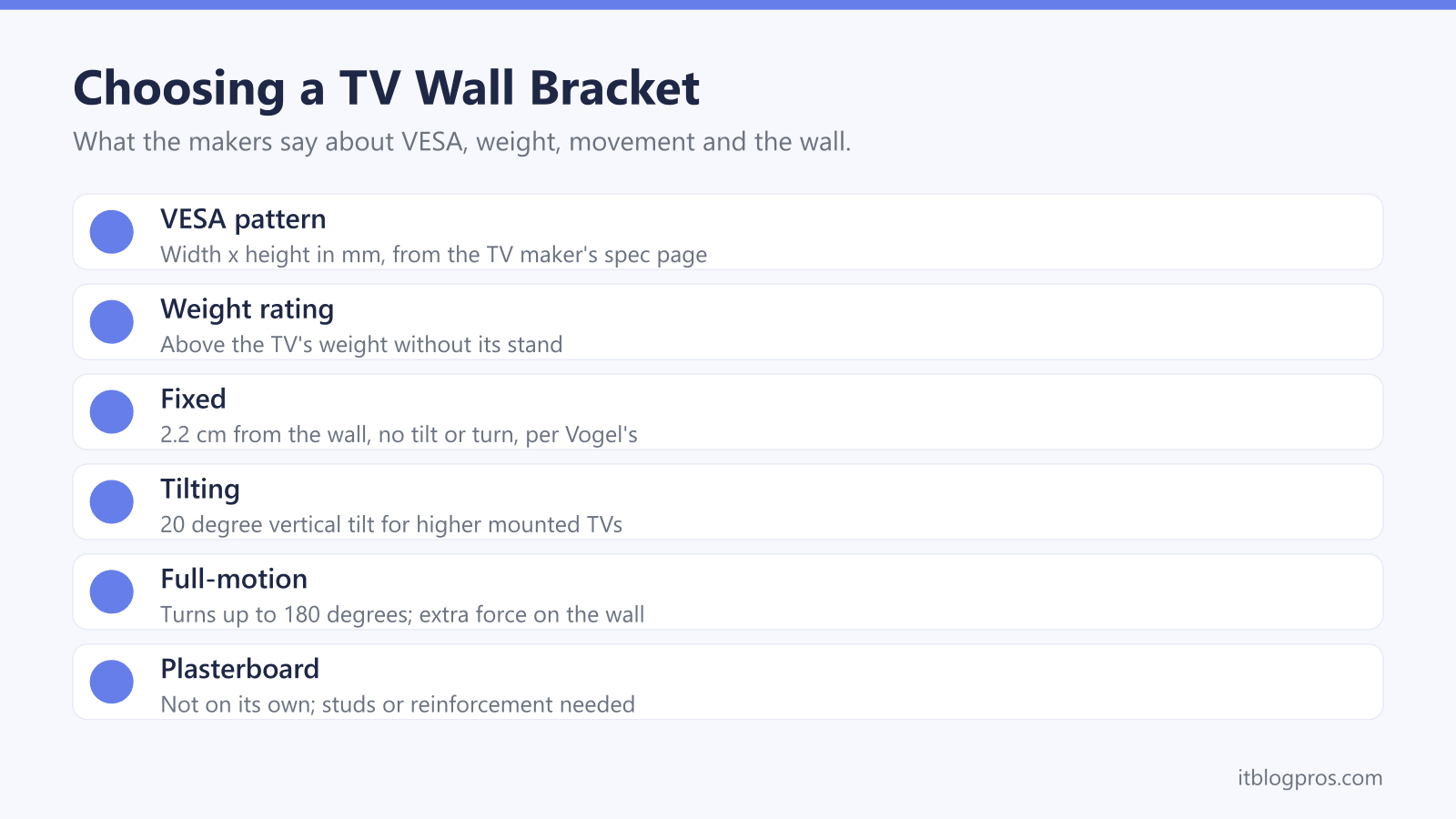
A TV wall bracket looks like a simple steel plate, but three numbers decide whether it is safe: the hole pattern on the back of the TV, the TV's weight and what the wall is made of. This guide takes each in turn, as VESA, Samsung, LG, Sony, Vogel's, Sanus and Amazon describe them, then covers fixed, tilting and full-motion designs, stud walls and media walls, cables, soundbars and five brackets that suit common UK set-ups.
Match three things before buying. The bracket's VESA range must include the hole pattern on the TV maker's spec page, its weight rating must exceed the TV's weight without the stand, and the wall must suit it. Vogel's says plasterboard alone cannot hold a TV and metal-stud walls must be reinforced first, and Vogel's, LG and Sony all recommend a professional installer.
Key Takeaways
- VESA's mounting standard covers flat displays from 4 to 90 inches, and the TV maker's spec page gives the exact pattern: LG lists 300 x 200 for the OLED65C66LB and Samsung lists 400 x 400 mm for its 77-inch S99H.
- Compare the TV's weight without its stand: Sony's chart puts the 98-inch BRAVIA 5 at 69.0 kg, beyond the 50 kg Vogel's TVM 3405 but within the 75 kg TVM 3605.
- Vogel's says a fixed bracket sits 2.2 cm from the wall, a tilting one tilts 20 degrees and a full-motion one turns up to 180 degrees, and that pulling a full-motion arm forward puts extra force on the wall.
- Vogel's says plasterboard alone cannot hold a TV, full-motion brackets on timber studs need its TVA 6950 stud adapter, and metal-stud walls, including a media wall on a metal frame, must be reinforced first.
- Vogel's, LG and Sony all recommend a professional installer, and Sony says the wall must withstand four times the TV's weight, or six times on some models.
VESA Is the Hole Pattern, and the TV Maker Lists It
The threaded holes on a flat TV's back follow a standard. VESA's overview of its Flat Display Mounting Interface says it defines mounting interfaces for flat displays from 4 to 90 inches, and its largest class covers screens from 31 to 90 inches weighing up to 113.6 kg. Sony gives the pattern as the screw hole distance, width by height, in millimetres.
The exact figure is on the TV maker's spec page. LG's UK page for the 65-inch OLED65C66LB lists VESA mounting of 300 x 200 and a weight without stand of 16.6 kg. Samsung's UK spec for the 77-inch S99H lists a VESA spec of 400 x 400 mm and a set weight without stand of 31.7 kg. Sony's 2025 chart gives 300 x 300 for the 65-inch BRAVIA 5 and 600 x 400 for the 98-inch model.
A matching pattern is not the whole story. Sony warns that on some BRAVIA models the spacing conforms to the VESA standard but the number and depth of the screw holes do not, and says it cannot guarantee a third-party bracket.
The Weight Rating Must Cover the TV Without Its Stand
Every bracket carries a maximum load, and the TV's weight without its stand is the number to compare. Sony's chart lists the 98-inch BRAVIA 5 at 69.0 kg. That rules out Vogel's TVM 3405, rated for 32 to 77-inch TVs up to 50 kg, but fits the 75 kg and VESA 600 x 400 limits of the larger TVM 3605. Screen size counts too: Amazon rates its Basics AM40A arm for 26 to 55-inch TVs up to 36.3 kg.
Anything hung on the TV adds to the load. Sanus's manual for its VMT5 mount sets a 34 kg limit that includes accessories, and Vogel's soundbar mount manual says the TV, soundbar and soundbar mount together must stay within the TV bracket's limit.
The wall has to carry more than the rating. Sony says the wall must withstand four times the TV's mass, or six times on some models, and Sanus says five times the weight of the TV and mount combined. Vogel's says its brackets are TÜV certified and tested to three times their maximum weight capacity.
Fixed, Tilting and Full-Motion Brackets Suit Different Rooms
A fixed bracket holds the TV flat against the wall. Vogel's says its COMFORT fixed mounts leave 2.2 cm between TV and wall and cannot be turned or tilted, which suits a sofa directly in front of the screen. Vogel's states the drawback plainly: the TV cannot rotate or tilt in any way.
A tilting bracket angles the screen down. Vogel's says its tilting brackets have a 20 degree vertical tilt, calls them ideal for higher mounted TVs and says tilting downward can reduce sunlight on the screen. Samsung's US help page suggests an angled mount to be easier on the neck.
A full-motion bracket swings out on an arm. Vogel's says its turning brackets rotate up to 180 degrees horizontally and 20 degrees vertically, which helps in a corner or from the dining area, though the angle differs by bracket and TV size. The trade-off is force: Vogel's says pulling forward or turning a full-motion mount applies extra force to the wall, and advises longer cables so they do not come loose as the TV turns.
Solid Brick and Block Walls Take the Plugs in the Box
Most brackets assume a solid wall. Vogel's online manual for its TVM 3200, 3400 and 3600 series says the fixings are intended exclusively for solid brick, solid concrete or solid wood columns, supplies fischer DuoPower plugs and limits any wall covering to 3 mm. Vogel's advice page adds that its mounts include plugs and screws for brick or solid walls, while aerated concrete needs Fischer DuoPower plugs and screws bought separately, with 35 kg suggested as the maximum TV weight for a full-motion bracket on that wall.
Hollow bricks, wood panelling and plasterboard need expert advice before drilling, according to the same manual. LG's help library says marble, wood and tile can restrict wall mounting, and Sanus's VMT5 manual supplies hardware for wood studs, solid concrete and concrete block only.
Amazon's listing for the Basics AM40A says it is designed for concrete, brick and wood stud walls, with all mounting hardware included. Before fitting the plugs, Vogel's says to check that the whole screw, except its head, fits in the hole, then vacuum the hole out.
Stud Walls and Media Walls Need Reinforcing First
Plasterboard is the weak point. Vogel's says mounting a TV on the plasterboard itself is not possible, and Sanus's manual warns not to install into drywall alone. Samsung's US help page is more relaxed, saying drywall anchors (toggle bolts) can be used if the wall can hold the TV's weight, so follow the bracket maker's instructions.
Timber studs suit a fixed bracket. Vogel's says a wooden frame is fine with the screws included and recommends reinforcing the plasterboard for heavier TVs. A plasterboard wall on wooden profiles cannot withstand a full-motion arm, Vogel's adds, so it sells the TVA 6950 stud adapter, which fits 450 and 600 mm stud spacings and holds up to 75 kg.
Metal studs are stricter. Vogel's says metal-stud walls must always be reinforced with an extra back plate of about 18 mm, and Sanus requires its SSMK1 steel stud kit. A media wall on a metal frame falls under the same rule, so plan the back plate before the boards go on. Samsung's US page also advises against mounting a TV over a fireplace.
Cables and a Soundbar Belong in the Plan Before Drilling
Cables are easier to plan than to hide later. Vogel's says routing them inside the wall takes a lot of drilling and cutting, and advises agreeing duct and socket positions with the contractor or electrician. For surface runs, Vogel's TVA 7000 cover holds six cables and can be painted to match the wall. Vogel's says its COMFORT fixed mounts have a maintenance position for reaching the ports, while Sony notes that wall mounting can limit use of some rear terminals. The HDMI cable guide covers which cable to run, and the Fire TV Stick guide covers sticks that tuck behind the screen.
A soundbar usually goes on the wall too. Samsung's UK buying guide recommends wall-mounting the soundbar when the TV is on the wall, slightly below it, and says nearly all Samsung soundbars include a bracket. Vogel's SOUND 3550 instead hangs the bar from a Vogel's full-motion mount, takes soundbars up to 6.5 kg and must not be used with the mount's tilt function. The soundbar guide covers choosing the bar.
Five Brackets Cover Most UK TVs and Walls
First, the caveats. Vogel's recommends installation by a professional installer, LG strongly recommends a professional technician and Sony recommends Sony dealers or licensed contractors. Samsung's UK page for its Slim Fit Wall Mount asks for adults over 18 and recommends two people. No bracket fixes a weak wall, and a TV that drops off WiFi after the move is a separate problem, covered in the smart TV WiFi guide.
With that settled, the table covers the common jobs. Vogel's TVM 3405 is the fixed pick for 32 to 77-inch TVs up to 50 kg, with fischer plugs included. The TVM 3415 tilts up to 20 degrees for TVs from 32 to 65 inches and up to 25 kg. Amazon Basics' AM40A is the budget full-motion arm for 26 to 55-inch TVs. The TVM 3605 takes 40 to 100-inch TVs up to 75 kg. For OLED TVs with a bulge low on the back, Vogel's sells the TVM 3405SP, naming LG's B and C series, with a maximum VESA pattern of 400 x 200.
| Product | Best for | Key specs | Price | |
|---|---|---|---|---|
 | Vogel's Comfort TVM 3405 Our pick | Fixed mounting for 32 to 77-inch TVs on solid walls | Fixed, 32 to 77 in, 50 kg, VESA up to 400 x 400 | Check price → |
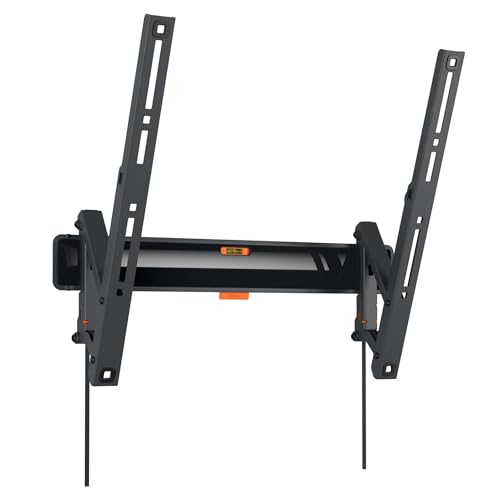 | Vogel's TVM 3415 Tilting | Higher mounted TVs from 32 to 65 inches | Tilts up to 20 degrees, 25 kg, VESA up to 400 x 400 | Check price → |
 | Amazon Basics AM40A Budget full motion | Corners and angled viewing for 26 to 55-inch TVs | Articulating arm, 36.3 kg, VESA 100 x 100 to 400 x 400 | Check price → |
 | Vogel's Comfort TVM 3605 Large TVs | Heavy 40 to 100-inch TVs up to 75 kg | Fixed, 40 to 100 in, 75 kg, VESA up to 600 x 400 | Check price → |
 | Vogel's Comfort TVM 3405SP OLED | OLED TVs with a bulge low on the back | Fixed, 32 to 77 in, max VESA 400 x 200, 2.2 cm gap | Check price → |