
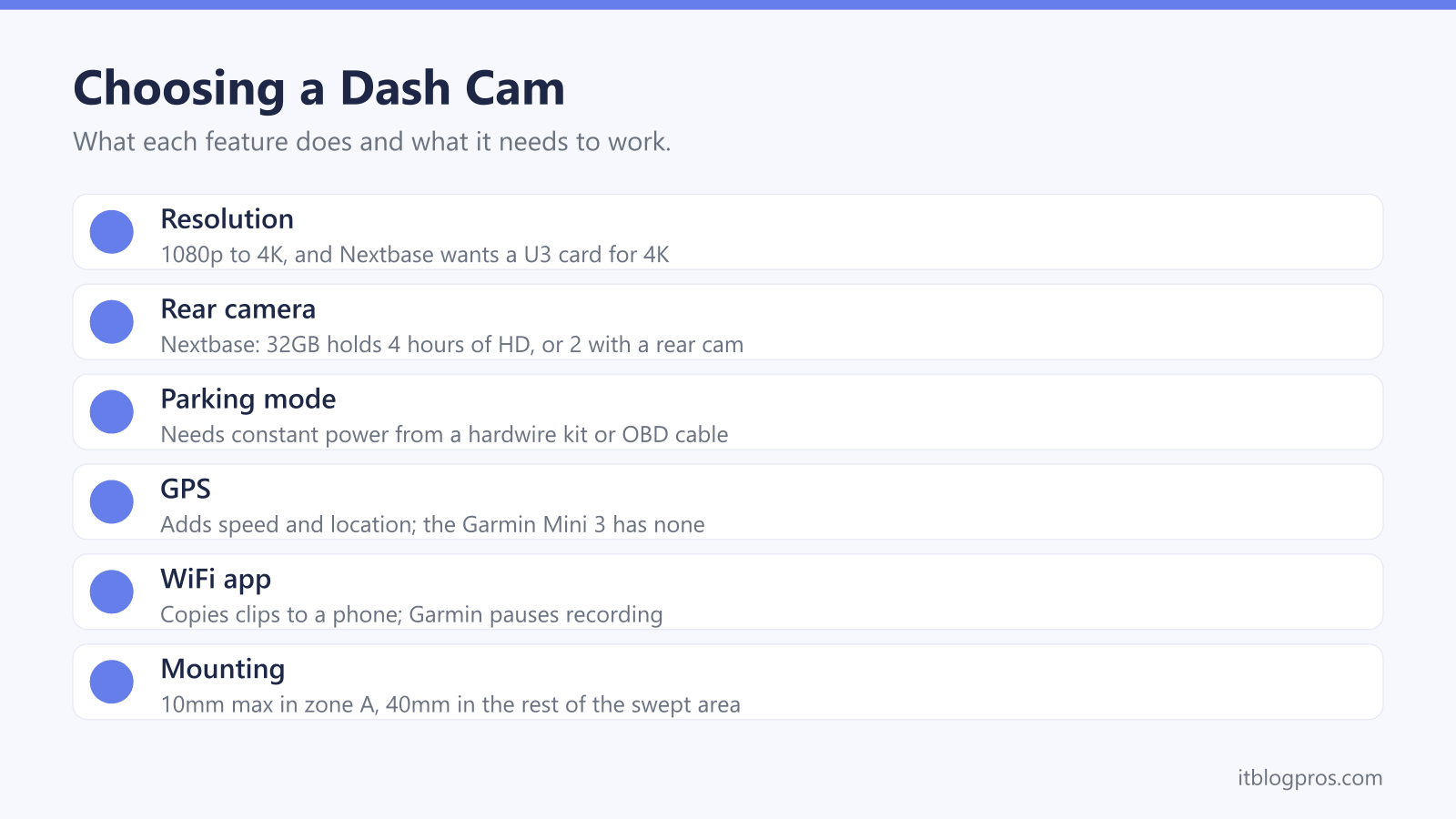
A dash cam is a camera on the windscreen that records the road, and choosing one in the UK comes down to a handful of features: resolution, a rear camera, parking mode, GPS and a phone app. Each needs something else to work, from the right memory card to constant power once the engine is off. This guide takes each feature as Nextbase, Garmin and 70mai describe it, then covers where the camera can legally sit, how footage reaches the police and five products that suit the common setups.
For most drivers, a 1080p front camera with GPS covers the basics, and a front and rear kit adds the back window. Parking mode needs constant power, from a kit such as Nextbase's Hardwire Kit or Garmin's OBD II Constant Power Cable. GOV.UK's windscreen guidance allows no more than 10mm of obstruction in the strip in front of the driver, so the camera belongs near the mirror.
Key Takeaways
- GOV.UK's windscreen guidance allows obstructions of no more than 10mm in zone A, the 290mm strip in front of the driver, and 40mm in the rest of the wiper-swept area.
- Parking mode needs constant power: Nextbase recommends its Hardwire Kit, which cuts off at 11.2V, and Garmin's Constant Power Cable plugs into the OBD II port.
- Nextbase recommends a U3 card built for dash cam use and says a rear camera needs one, while Garmin asks for Class 10 or higher, from 8 to 512GB.
- The National Dash Cam Safety Portal takes an unedited copy of the original file and an online witness statement, from any brand of camera or phone.
- Garmin says the Dash Cam Mini 3 has no GPS and shows only the date and time, while its X110 stamps incident footage with the time, date and location.
Resolution and a Rear Camera Decide What Gets Recorded
Resolution is the headline number on every box, running from 1080p to 4K across the big brands. Garmin's announcement of its current range gives 1080p for both the Dash Cam Mini 3 and the X110, each with a built-in Clarity polariser to cut windscreen glare. Nextbase lists 1080p for the 322GW and 4K at 30fps for the 622GW, while 70mai's spec page gives 3840 x 2160 for the A810S front camera. More detail costs card space, and Garmin's X110 manual says higher resolution or frame rate settings need more room on the memory card.
A rear camera records the back window too. 70mai's A510 support page gives its rear footage as 1080p, and the A810S page lists a 1080p HDR rear camera. Nextbase sells rear modules for the 322GW, 422GW, 522GW and 622GW, and its card guide shows a 32GB card holding about four hours of HD footage, or two with a rear camera fitted. Garmin takes a different route, pairing separate cameras in the Garmin Drive app, which handles clips from up to four Garmin dash cams.
Parking Mode Needs a Hardwire Kit or Constant Power
Parking mode keeps watch after the engine is off, so the camera still needs power. Nextbase's parking mode page says its cameras switch to Parking Mode after five minutes stationary or when the ignition goes off, then record a 30-second protected file if the car is hit. Nextbase recommends its Hardwire Kit over the cigarette lighter cable and says the kit's voltage cut-off stops the car battery being drained below 11.2V. Its Series 2 OBD Hardwire Kit plugs into the OBD port instead, though Nextbase says it will not work with the Piqo.
Garmin's Mini 3 manual says recording while parked needs an always-on 12V cable or the parking mode cable. The Constant Power Cable plugs into the OBD II port, powers up to two cameras for 10 minutes, 24 hours or all the time, and shuts off below 12V. For the wired parking mode cable, Garmin strongly recommends an experienced installer, and its X110 manual adds a setting to run Parking Guard on the camera's own battery. 70mai lists its UP03 or UP04 kit for the A510.
GPS Adds Speed and Location, and the App Copies the Clips
GPS turns a video into a record of where the car was and how fast it was going. Nextbase says the 322GW has 10Hz GPS, with speed shown in mph or km/h, and 70mai's A510 support page says it overlays speed, latitude and longitude on the video. Garmin's X110 manual says incident footage is stamped with the time, date and location. The Mini 3 is the exception: Garmin says it is not GPS-enabled and shows only the date and time.
WiFi is how clips reach a phone without pulling the card out. Garmin's manuals pair the camera with the Garmin Drive app, which offers Save to Phone, but note that the camera stops recording while videos are being viewed. Nextbase uses its QuickLink Wi-Fi and the MyNextbase Connect app. With the 70mai app, the phone joins the camera's own hotspot, and 70mai says its Bluetooth quick connection works on iOS but not on Android. If a phone refuses to join, the phone won't connect to WiFi guide covers the general fixes.
The Memory Card Needs the Speed Class the Maker Names
Every camera here records to a microSD card, and each maker sets its own minimum. Garmin's manuals for the Mini 3 and X110 ask for a microSDHC or microSDXC card from 8 to 512GB, Class 10 or higher, formatted as FAT32. Nextbase is stricter. Its card guide recommends a U3 card designed for dash cam or CCTV use, explains that U3 means a minimum write speed of 30MB/s against 10MB/s for U1, and says a rear camera needs U3. The 622GW page asks for a Nextbase U3 card when recording in 4K. 70mai's A510 support page sets U1 or Class 10 as the floor, with cards from 32GB to 256GB.
The makers disagree on upkeep as well. Garmin says to format the card at least once every six months, while Nextbase recommends every two to three weeks. Nextbase's guide also calls 128GB the maximum for its dash cams, yet lists a 256GB card on the same page, so check the model's own page. The SD card and card reader guide explains what the speed markings mean.
The Mount Has to Leave the Driver's View Clear
Nextbase's UK legal guide says dash cams are not illegal and need no special permission, but the windscreen rules decide where one goes. The Highway Code's Annex 6 says windscreens must be kept clean and free from obstructions to vision. GOV.UK's windscreen obscuration guidance, based on regulation 30 of the Road Vehicles (Construction and Use) Regulations 1986, sets the numbers. Zone A, a strip 290mm wide centred on the steering wheel within the wiper-swept area, allows obstructions of no more than 10mm, and the rest of the swept area allows 40mm. The DVSA's MOT inspection manual lists an obstruction that significantly affects the view through the swept area as a major defect.
Nextbase recommends a spot near the rear-view mirror, and its guides call the 40mm limit both UK law and a Highway Code rule, though the figure matches GOV.UK's guidance. Garmin's X110 manual adds that the lens should sit behind wiper-cleared, untinted glass. GOV.UK also allows a dashcam on a driving test if it films only outside, records no inside audio and does not block the view.
Footage Goes to the Police Through the National Portal
The National Dash Cam Safety Portal is the main route for reporting bad driving caught on camera. Nextbase provides it free to the public and the police, and its portal page says it takes footage from any dash cam, action camera or phone. The steps are to choose the police force area where the incident happened, upload a copy of the original file, unedited and uncompressed, and complete a witness statement online. Keep the original safe, because the police may ask for it.
Timing matters. The portal page says most road traffic offences have a six-month prosecution limit and some need the driver or registered keeper told within 14 days, so send footage as soon as possible. Take any copy off social media, which the page says follows Crown Prosecution Service advice. Only the receiving force can view the upload, and the page warns that police may look at the uploader's own driving too. For work vehicles, the ICO's small business guidance says audio should be off by default and people nearby told they are being recorded.
Five Picks Cover Front, Rear and Parking Mode
A dash cam records what happens rather than preventing it, and a cheaper insurance premium is not guaranteed. Nextbase's legal guide says insurance discounts for dash cam users are increasingly common but names no insurer, so ask yours before counting on one. Subscriptions are the other catch. Garmin's manuals say remote live view and its Vault cloud storage need a paid plan, the same trade-off covered in the video doorbell without a subscription guide.
With that settled, the table covers the common setups. The Garmin Dash Cam X110 is the all-round front pick, with a 2.4-inch screen, built-in GPS and driver alerts. The Mini 3 is smaller, with no screen and no GPS, for a camera that sits out of sight. For the back window, the 70mai A510 pairs a 2592 x 1944 front camera with a 1080p rear one, and the A810S steps up to a 4K front camera. Garmin's Constant Power Cable gives either Garmin camera parking power through the OBD II port, with no fuse box wiring.
Nextbase models are sold on Amazon UK mainly through third-party sellers rather than by Amazon itself, so this link runs a search of Amazon UK for Nextbase dash cams instead of pointing at one listing. Check the seller and compare the price with Nextbase's own store before ordering.
| Product | Best for | Key specs | Price | |
|---|---|---|---|---|
 | Garmin Dash Cam X110 Our pick | A front camera with a screen, GPS and driver alerts | 1080p, 2.4-inch screen, built-in GPS, Clarity polariser | Check price → |
| Garmin Dash Cam Mini 3 Compact | A small, screenless camera that stays out of sight | 1080p, no screen, no GPS, Clarity polariser | Check price → |
 | 70mai Dash Cam A510 Front and Rear Front and rear | Recording the back window as well as the road ahead | 2592 x 1944 front, 1080p rear, GPS, 2-inch screen | Check price → |
 | 70mai Dash Cam 4K A810S Front and Rear 4K | 4K detail at the front with a rear camera included | 4K front, 1080p HDR rear, GPS, 3-inch screen, Wi-Fi 6 | Check price → |
 | Garmin Constant Power Cable Parking power | Parking Guard on a Garmin with no fuse box wiring | OBD II plug, powers two cameras, 12V battery cut-off | Check price → |