
Sonos sells more in the UK than its short product names suggest: the Era speakers, the Five, three portables, four soundbars, two subwoofers and two sets of Ace headphones. Every one of them runs from the same app on the same home network, and that is where the small print sits. This guide takes the range as Sonos's own UK product and support pages describe it, then covers stereo pairs, home cinema, Trueplay, AirPlay 2, voice control, the app on a phone or PC, and the WiFi Sonos needs.
For most rooms, start with the Era 100: Sonos lists WiFi 6, Bluetooth 5.3, AirPlay 2, Alexa and Sonos Voice Control. Choose the Roam 2 or Move 2 to take music outside, the Era 300 for Dolby Atmos Music, and a Ray, Beam or Arc Ultra for the TV. Every model needs the Sonos app on a phone or tablet to set up, and a router with 2.4GHz WiFi switched on.
Key Takeaways
- Sonos's UK range runs from the compact Era 100 and the Dolby Atmos Era 300 to the Roam 2, Move 2 and Sonos Play portables, four soundbars, the Sub 4 and Sub Mini, and Sonos Ace headphones.
- Sonos's Move 2 page says the speaker must be set up over WiFi in the Sonos app before it plays audio, and AirPlay 2 on the Roam 2 and Move 2 works only over WiFi.
- Sonos's app requirements page lists iOS 18, Android 10 or Fire OS 7 and later, and says the Windows and macOS app cannot set up a new system or add new products.
- Sonos's system requirements page lists routers with only 5GHz WiFi, wireless range extenders and Ethernet over Power devices as unsupported, and recommends a mesh router to extend WiFi.
- Sonos says most products need an iPhone or iPad for Trueplay tuning, with Android quick tuning only on the Arc Ultra, Beam Ultra, Era 100, Era 100 Pro and Era 300.
Era 100, Era 300 and Five Fill the Rooms at Home
Sonos describes the Era 100 as a compact stereo speaker with rich bass and voice control, made for a bookshelf, kitchen counter, desk or bedside table, and lists WiFi 6 and Bluetooth 5.3. The Era 100 SL, Sonos says, is the same idea without voice control. For bigger sound, the Era 300 page lists six drivers across the front, sides and top for Dolby Atmos Music, which Sonos says needs WiFi, a supported service and compatible content. The Five is Sonos's flagship hi-fi speaker, with a 3.5 mm line-in for a turntable or CD player and an Ethernet port; its page lists neither Bluetooth nor a voice assistant.
Two of the same model make a stereo pair. Sonos's support article says only speakers of the same model can be paired, although a model with microphones can pair with its SL version, so an Era 100 and an Era 100 SL work together. Sonos suggests spacing the pair 8 to 10 feet apart, roughly 2.4 to 3 metres, with the listening spot 8 to 12 feet away.
Roam 2, Move 2 and Sonos Play Use WiFi at Home and Bluetooth Away
Three Sonos speakers carry a battery. Sonos's Roam 2 page calls it an ultra-portable speaker for travel, rated IP67 waterproof, weighing 0.43 kg and lasting up to 10 hours. The Move 2 is Sonos's flagship portable: 3 kg, up to 24 hours of playback, an IP56 rating and a USB-C port that can charge a phone. Sonos Play is the third, and its page lists up to 24 hours, IP67, 1.3 kg and a charging base in the box.
Each has Bluetooth, but the Sonos features live on WiFi. Sonos's Move 2 page says the speaker must be set up over WiFi in the Sonos app before playing audio, and that AirPlay 2 works only on WiFi. Sonos's Roam 2 support article says it drops Bluetooth when it sleeps, wakes in WiFi mode, and cannot stereo pair away from WiFi. Off WiFi, Sonos says up to four Move 2 and Play speakers can be grouped over Bluetooth, a list that leaves out the Roam 2. For phone-only use, the Bluetooth speaker guide covers simpler options.
Soundbars, Subs and Ace Headphones Build the Home Cinema
For the TV, Sonos sells four soundbars. Its TV requirements article says the Ray needs a TV with an optical output, while the Beam (Gen 2) and Arc Ultra need HDMI ARC or eARC for Dolby Atmos. The Beam Ultra page lists 7.1.2 surround, and the Arc Ultra page lists 9.1.4 in a bar 1,178 mm wide. Sonos's home cinema guide matches the Ray to a small room and a TV up to 55 inches, the Beam Ultra to a TV up to 65 inches, and the Arc Ultra to TVs of 50 inches and over.
Bass and rears come next. Sonos's guide suggests the Sub 4 for a large room and the Sub Mini for a flat or bedroom. Two Era 100s work as rears with Ray, Beam or Arc Ultra, the Era 100 page says, and the Beam Ultra page adds a pair of Move 2 or Sonos Play speakers. Sonos's Ace page says TV Audio Swap moves TV sound from an Arc Ultra, Arc, Beam or Ray to the headphones. The soundbar guide covers eARC in depth.
Trueplay, AirPlay 2 and Voice Control Depend on the Model
Trueplay is Sonos's room tuning. Sonos's support article says it measures how sound reflects off walls and furnishings, takes about three minutes and, for most products, needs an iPhone or iPad. Android phones get quick tuning only on the Arc Ultra, Beam Ultra, Era 100, Era 100 Pro and Era 300, using the speakers' own microphones, and the portables tune themselves with automatic Trueplay. The Ray, Sub Mini and Era 100 SL pages each ask for an iOS device.
AirPlay 2 appears on the Era, Five, portable and soundbar pages, for Apple devices on iOS 11.4 or later. Voice is patchier. The Era 100, Era 300, Move 2, Roam 2 and Arc Ultra pages list Sonos Voice Control and Amazon Alexa; the Era 100 SL has none, and the Ray needs a separate device such as an Amazon Echo, covered in the Echo guide. The Beam (Gen 2) page still lists Google Assistant, yet Sonos's Google Assistant support page says that from September 2026 it can no longer be added from an Android device.
The Sonos App Needs a Phone, and a PC Gets Basic Controls
Everything runs through the Sonos app. Sonos's app requirements page lists iOS and iPadOS 18 or later, Android 10 or later and Fire OS 7 or later, and says the Android app does not run on Chromebooks or x86 devices. Older systems use a separate Sonos S1 Controller app, and products set up with it cannot use WPA3 security, according to Sonos's WiFi standards page.
A Sonos app for Windows does exist, with limits. Sonos's downloads page offers the Sonos app for macOS and Windows, and the requirements page lists Windows 8 or later, a range that takes in Windows 10 and 11. Both pages say the desktop app cannot set up a new Sonos system or add new products; that takes an iOS or Android device. A web app also runs in Chrome, Firefox, Safari and Edge, and the downloads page says it handles playing, grouping and choosing content, but not setup or system settings. On a Mac, Sonos's AirPlay article says the computer's audio can be streamed to supported Sonos speakers.
Sonos Needs a 2.4GHz Network, and Extenders Are Not Supported
Sonos's system requirements page sets the floor: every Sonos product can join a router offering 802.11b/g WiFi on 2.4GHz, with WPA or WPA2 Personal security. Sonos's WiFi standards page lists 5GHz and WiFi 6 on the Arc Ultra, Beam Ultra, Era 100, Era 300, Move 2, Sonos Play and Sub 4, and 5GHz on the Roam 2 and Five, but only 2.4GHz on the Ray and Beam (Gen 2). Sonos lists routers offering only 5GHz WiFi as unsupported, so the 2.4GHz band has to stay on.
The requirements page rules out wireless range extenders, Ethernet over Power (powerline) devices, guest networks and mobile hotspots. To extend WiFi for Sonos, it recommends a mesh router, and says a wired Sonos product on a mesh must connect to the primary mesh node. Sonos's wired set-up article says a speaker cabled to the router broadcasts a dedicated Sonos network, but the Arc Ultra, every Era model, Move 2, Roam 2, Sonos Play and Sub 4 stay on home WiFi or ethernet instead. The weak WiFi guide covers patchy coverage.
Five Sonos Speakers Cover the Kitchen, the Garden and the TV
First, the caveats. A new speaker will not fix a network Sonos does not support: a router offering only 5GHz WiFi, a range extender and a guest network all sit on Sonos's unsupported list, and setup needs an iPhone, iPad or Android device. Away from WiFi, Sonos's pages say the Roam 2 and Move 2 lose AirPlay 2, and the Roam 2 loses stereo pairing too.
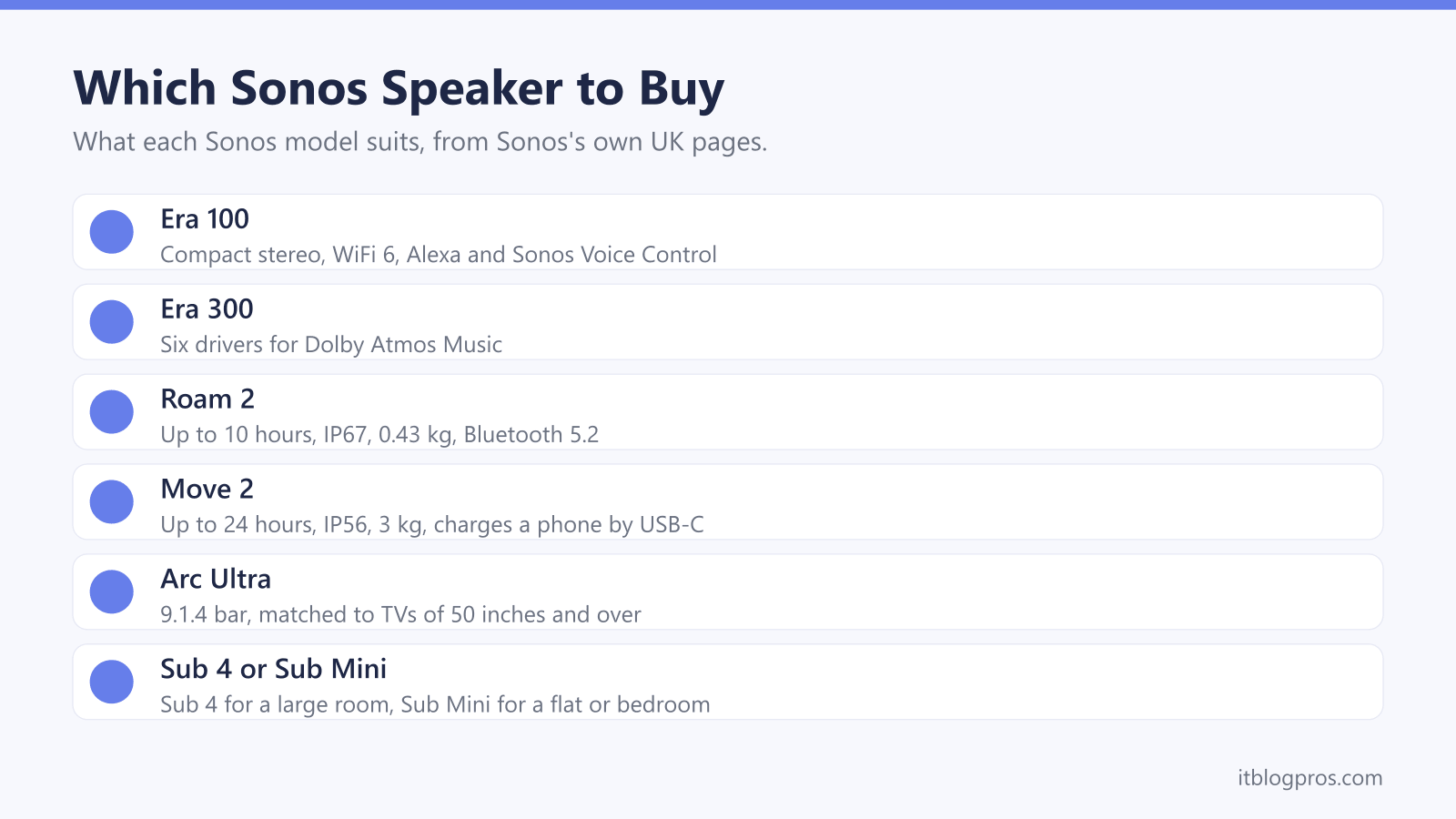
With that settled, the table covers the common jobs. The Era 100 is the starting point for most rooms, with WiFi 6, Bluetooth 5.3, AirPlay 2, Alexa and Sonos Voice Control. The Roam 2 is the travel speaker, and the Move 2 the garden speaker with the bigger battery. The Era 300 suits Dolby Atmos Music, and Sonos's Arc Ultra page suggests a pair of them as Atmos rears. The Arc Ultra is the big-TV bar; for smaller TVs, the Beam (Gen 2) and Ray sit in the soundbar guide, and a Sub 4 or Sub Mini can follow later. For headphones beyond the Sonos Ace, the noise-cancelling headphones guide compares the wider field.
| Product | Best for | Key specs | Price | |
|---|---|---|---|---|
 | Sonos Era 100 (White) Our pick | Kitchens, bedrooms and a first Sonos speaker | WiFi 6, Bluetooth 5.3, AirPlay 2, Alexa, Sonos Voice Control | Check price → |
 | Sonos Roam 2 (Black) Travel | Travel, the beach and moving between rooms | Up to 10 hours, IP67, Bluetooth 5.2, 0.43 kg | Check price → |
 | Sonos Move 2 (Black) Garden | Gardens and big rooms, indoors and out | Up to 24 hours, IP56, Bluetooth 5.3, USB-C phone charging | Check price → |
 | Sonos Era 300 (Black) Atmos music | Spatial music, or Atmos rears with an Arc Ultra | Six drivers, Dolby Atmos Music, WiFi 6, Bluetooth 5.3 | Check price → |
 | Sonos Arc Ultra (Black) Big TV | TVs of 50 inches and over, in Sonos's own guide | 9.1.4 Dolby Atmos, HDMI eARC, WiFi 6, 1,178 mm wide | Check price → |