
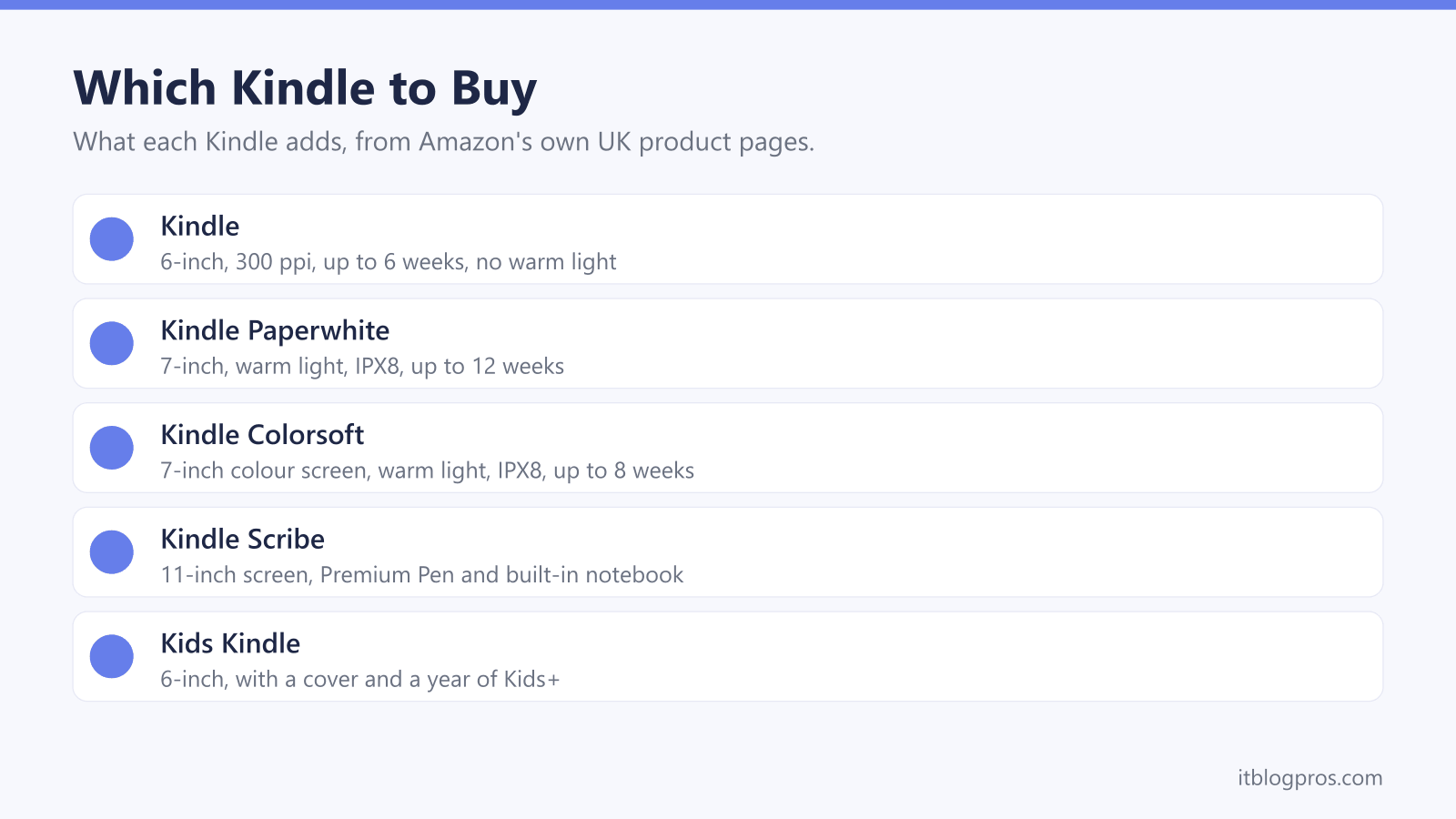
Amazon sells five kinds of Kindle in the UK, and the names do little to explain the differences. The Kindle, Paperwhite, Colorsoft, Scribe and Kids Kindle split on screen size, warm light, waterproofing, colour and note-taking, and most also come in With Ads and Without Ads versions. This guide takes each difference as Amazon's own product pages state it, explains what Kindle Unlimited has turned into, and covers getting a Kindle onto WiFi.
For most readers the Kindle Paperwhite is the one to buy: Amazon lists a 7-inch 300 ppi screen, an adjustable warm light, IPX8 waterproofing and up to 12 weeks of battery. The basic Kindle is smaller and lighter but has neither warm light nor waterproofing. Pick the Colorsoft for colour, the Scribe for handwritten notes and the Kids Kindle for a cover and a year of Kids+.
Key Takeaways
- Amazon's comparison chart gives the Kindle a 6-inch screen and up to 6 weeks of battery, against 7 inches and up to 12 weeks for the Paperwhite, with 300 ppi on both.
- Amazon lists an adjustable warm light and IPX8 waterproofing for the Paperwhite and Colorsoft, and its chart shows neither on the basic Kindle.
- Amazon's listings say the With Ads option shows sponsored screensavers on the lock screen and in sleep mode, and its help page says a one-time payment removes them later.
- Amazon's UK store now calls Kindle Unlimited Kindle+, with up to 20 titles borrowed at a time and reading in the free Kindle app as well as on a Kindle.
- Amazon's help page says Kindles do not support 6 GHz WiFi, and suggests a phone hotspot test to tell a network fault from a Kindle fault.
Screen, Warm Light and Waterproofing Separate the Kindles
Amazon's Kindle listings carry a comparison chart, and a handful of differences separate the models on it. Screen size comes first. The Kindle has a 6-inch display, the Paperwhite and Colorsoft have 7-inch displays and the Scribe has an 11-inch one, all at 300 ppi for black and white text. Battery life varies too: Amazon lists up to 6 weeks for the Kindle, up to 12 weeks for the Paperwhite and up to 8 weeks for the Colorsoft.
Warm light and waterproofing matter just as much. Amazon says the Paperwhite and Colorsoft can shift the display from white to amber for reading in the dark, while the chart shows no warm light on the Kindle. Each of these has a built-in front light, though Amazon's Scribe chart also lists a Scribe Without Front Light. The Paperwhite page rates that model IPX8, tested in 2 metres of fresh water for 60 minutes, and the chart gives the Colorsoft the same rating and the Kindle none. Amazon's waterproofing page adds that a Kindle is not intended for underwater use.
Colorsoft, Scribe and Kids Models Cover Specialist Needs
The Colorsoft is a Paperwhite-sized Kindle with a colour screen. Amazon's page gives it 300 ppi in black and white and 150 ppi in colour, with highlighting in five colours, and the listing for the newer model pitches it at comics and graphic novels. Amazon also warns that the colour filter layer can make the texture or brightness look different from a Paperwhite, so it is not a straight upgrade for plain text.
The Scribe is the one with a pen. Amazon's newest Scribe listing describes an 11-inch display, a Premium Pen in the box that needs no charging and a built-in notebook with AI-powered search and summaries. Its battery figures disagree: the technical details say up to 10 weeks of reading and 2 of writing, while the chart on the same page says 12 and 3.
The Kids Kindle is a 6-inch Kindle with an illustrated cover and, according to Amazon, a year of Kids+ with thousands of books for ages 3 to 12. Amazon's Kids chart shows Paperwhite Kids and Colorsoft Kids versions with warm light and IPX8.
The Newest Kindles Are Thinner and Ship Without a Cable
Amazon is part way through refreshing the range. The newest Kindle is already on sale, and Amazon's page describes it as thinner, lighter and faster, with books opening 30% faster than on the previous Kindle. The same page gives it a weight of 140 g and a thickness of 6.85 mm. Amazon's UK store also lists thinner Paperwhite and Colorsoft models for pre-order, each at 6.8 mm and 204 g, against 7.8 mm and 211 g for the 2024 Paperwhite.
One change is easy to miss. The box contents on the newest Kindle page and on both pre-order pages read Kindle and Quick Start Guide, where the 2024 Paperwhite and Colorsoft pages include a USB-C charging cable. Amazon quotes the newer models' charge times with a 20 W USB power adaptor, so check there is a spare cable and plug in the house first. The core figures carry over, though. Amazon's pre-order pages keep the 7-inch 300 ppi screen, IPX8 and up to 12 weeks for the Paperwhite, and up to 8 weeks for the Colorsoft.
With Ads Means Sponsored Screensavers on the Lock Screen
The Kindle and Paperwhite are sold in two versions at different prices. Amazon's listings explain that the With Ads option displays sponsored screensavers on the lock screen and in sleep mode, and Amazon's help page on ads adds that they appear on the home screen marked Sponsored. Amazon says it can offer some models at a subsidised price because of that advertising. Without Ads costs more and leaves them out.
The choice is not permanent. Amazon's help page says a Kindle bought with ads can be switched with a one-time payment covering the difference between the two prices. Open Manage Your Content and Devices, select the Kindle under Devices, then choose Remove offers under Special Offers. A pop-up shows the fee, and End Offers and Pay the Fee confirms it, charged to your 1-Click payment method. Not every model offers the choice: the Colorsoft listing has no With Ads version, and Amazon describes the newer Colorsoft as having no ads.
Kindle Unlimited Is Now Called Kindle+
Anyone looking for Kindle Unlimited on Amazon's UK store now lands on Kindle+. Amazon's sign-up page says plainly that Kindle Unlimited is now Kindle+, and its FAQ describes a monthly membership covering millions of ebooks, thousands of audiobooks, comics, manga and magazines. The same FAQ says new subscribers who have not tried it may be eligible for a 30-day free trial.
Amazon's help page sets the limits. Members borrow up to 20 titles at a time with no due dates, and since 22 April 2026 each magazine issue counts towards that 20. The catalogue can change at any time. A Kindle is not required either: Amazon says Kindle+ works on Kindle devices, Fire tablets and the free Kindle app for iOS, Android, Mac and PC. To cancel, the Kindle+ terms point to amazon.co.uk/kpcentral, and they say the service is for customers aged 18 or over. Children have their own subscription, Kids+, which the Kids Kindle includes for its first year.
Five Kindles for Five Kinds of Reader
A Kindle is a reader, not a tablet. Amazon's pages sell the lack of apps, notifications and social media as the point, so anyone wanting video or games needs something else. A Kids Kindle is optional as well, because Amazon's help page shows how to add a child profile under Parental Controls on a compatible Kindle, although it says the Scribe does not support child profiles. Remember the cable, too: the newest Kindle and Kids Kindle pages list no charging cable in the box.
With that settled, the table covers the common needs. The Kindle Paperwhite is the all-round pick, with the 7-inch screen, warm light and IPX8 rating, and the listing here is the 2024 model that ships now while the thinner one is on pre-order. The newest Kindle is the small, light budget option. The Colorsoft suits comics and colour highlights, the Scribe 32GB suits note-takers, and the Kids Kindle comes with a cover, a year of Kids+ and parent controls that Amazon says include bedtime hours.
| Product | Best for | Key specs | Price | |
|---|---|---|---|---|
 | Kindle Paperwhite 16GB (2024), With Ads Our pick | A bigger screen, warm light and reading in the bath | 7-inch 300 ppi, warm light, IPX8, up to 12 weeks | Check price → |
 | Kindle 16GB (newest generation), With Ads Budget | A small, light reader for bags and commutes | 6-inch 300 ppi, 140 g, up to 6 weeks, not waterproof | Check price → |
 | Kindle Colorsoft 16GB Colour | Comics, book covers and colour highlights | 7-inch colour, 150 ppi colour, warm light, IPX8 | Check price → |
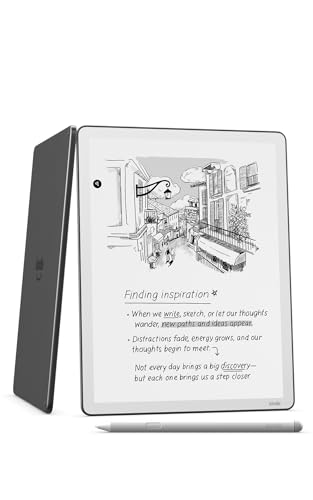 | Kindle Scribe 32GB (newest generation) Note-taking | Handwritten notes and marking up documents | 11-inch 300 ppi, Premium Pen included, warm light | Check price → |
 | Kids Kindle 16GB (newest generation) with cover For children | Children aged 3 to 12, with parent controls | 6-inch 300 ppi, cover and 1-year Kids+ included | Check price → |
Connecting a Kindle to WiFi and Fixing a Failed Connection
Amazon's Kindle listing says WiFi and an Amazon account are needed to set up a Kindle and download books. Its help page gives the steps. From the home screen, swipe down to open Quick Actions or select the Menu icon, choose All Settings or Settings, then Wi-Fi & Bluetooth or Wireless, then Wi-Fi Networks. Tap your network, or select Other to add a hidden one by name, enter the password and select Connect. Public hotspots may need a separate sign-in, usually through a pop-up.
When it fails, Amazon's troubleshooting page starts with compatibility: Kindles do not support 6 GHz WiFi, and models released before 2021 cannot use 5 GHz or WPA3. Then turn off Airplane mode, check the network name and password, move closer to the router, restart the Kindle and router, and wait two minutes. A phone's personal hotspot shows whether the network or the Kindle is at fault. If several devices fail, Amazon says to contact your provider, and the no internet guide covers that side. An Echo that will not connect needs similar checks.