
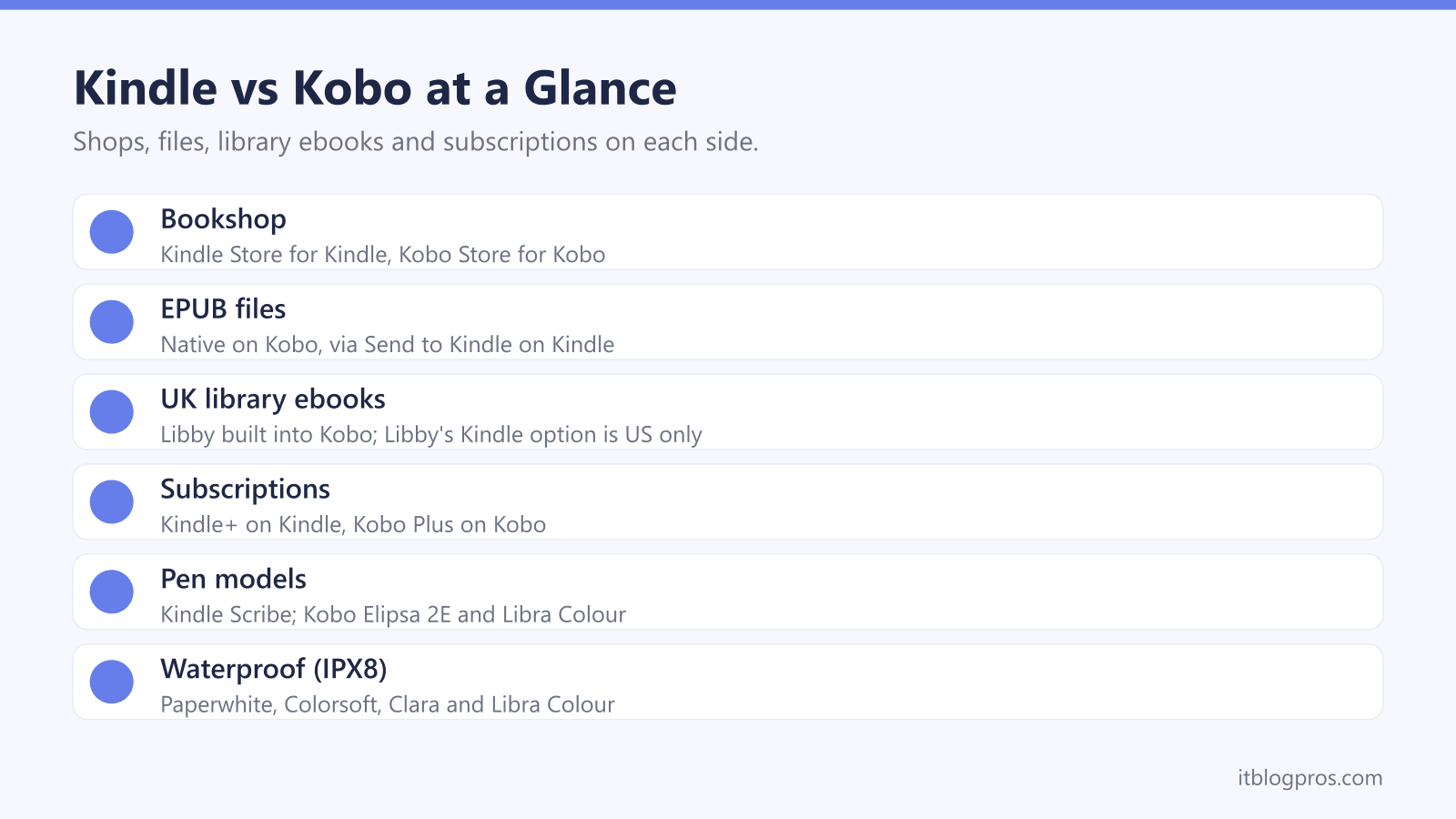
Kindle and Kobo e-readers look much alike, but each is tied to a different bookshop, and that matters more than the screen. Amazon's Kindles buy from the Kindle Store, while Rakuten Kobo's eReaders buy from the Kobo Store and handle EPUB files and library ebooks differently. This guide sets out the differences as Amazon, Kobo, OverDrive and UK library services describe them: file formats, library lending, Kindle+ and Kobo Plus, colour and pen models, waterproofing and warm light.
Choose a Kindle if your books are already in Amazon's Kindle Store or you want Kindle+, and choose a Kobo if you borrow library ebooks or buy EPUBs elsewhere. Kobo's help pages list Libby built into its current eReaders for UK libraries, while Libby's own help says its Kindle option is US only. Check your council's ebook service first, because some UK libraries now use BorrowBox instead.
Key Takeaways
- Kobo's help pages list a built-in Libby by OverDrive feature on the Clara Colour, Clara BW, Libra Colour and Elipsa 2E, with the United Kingdom among its countries.
- Libby's help pages say reading library books on a Kindle e-reader is available in the US only, and North Yorkshire Council says standard Kindles are not compatible with digital library lending.
- Kobo's spec pages list EPUB among 15 formats supported natively, while Amazon's Kindle pages list EPUB as supported through conversion, sent with Send to Kindle.
- Amazon's UK store says Kindle Unlimited is now Kindle+, and Kobo's UK store sells Kobo Plus as eBooks only, audiobooks only or both together.
- Both sides sell colour and pen models: Amazon lists the Colorsoft, Scribe and Scribe Colorsoft, and Kobo lists the Clara Colour, Libra Colour and Elipsa 2E.
Each E-Reader Is Tied to Its Own Bookshop
The biggest difference is the shop behind the screen. Amazon's Kindle Paperwhite page promises millions of titles in the Kindle Store, including Kindle Exclusives, plus a rotating Prime Reading catalogue for Prime members. Kobo's product pages point to the Kobo Store's collection of eBooks and audiobooks instead, and Kobo's UK Kobo Plus page promotes exclusive Kobo Originals.
Books bought in one shop do not cross easily to the other. Amazon's spec sheets list Kindle Format 8 (AZW3) and Kindle (AZW) as native formats, and neither appears on Kobo's list of supported formats. Going the other way, Kobo's help page on exporting books says most of them carry DRM, the copy protection publishers use, and need Adobe Digital Editions to reach another maker's device. Amazon's troubleshooting page says Send to Kindle does not accept encrypted files at all.
Audiobooks split along the same line. Amazon's Kindle pages list Audible audio (AAX) over Bluetooth, while Kobo's pages list Kobo Audiobooks over Bluetooth, which Kobo says need wireless headphones or a speaker.
Kobo Reads EPUB Natively While Kindle Converts It
File formats matter for anyone who buys ebooks outside the two big shops. Kobo's spec pages for the Clara Colour, Clara BW, Libra Colour and Elipsa 2E each list 15 formats supported natively, including EPUB, EPUB3, PDF and MOBI, plus CBZ and CBR for comics. Kobo's help pages say non-protected EPUB and PDF files can be dragged across over USB from a computer, and its Google Drive help lists cloud transfers on the Libra Colour and Elipsa 2E but not the Clara models.
Kindles take EPUB another way. Amazon's Paperwhite spec sheet lists EPUB, DOCX and HTML among formats supported through conversion, and Amazon's Send to Kindle help lists EPUB alongside PDF, TXT, RTF, HTML and common image types. Files arrive through Send to Kindle for Web at up to 200 MB, an email address unique to each Kindle, the Kindle app for iOS and Android, or desktop apps for Mac and Windows. Amazon's troubleshooting page adds that password-protected and other encrypted files are not supported, so the service suits DRM-free EPUBs rather than copy-protected books from other shops.
Library Ebooks Favour Kobo Where the Council Uses Libby
Library lending splits the two most clearly. Kobo's help page says all you need is a library card and a WiFi connection: the built-in Libby by OverDrive feature runs on models including the Clara Colour, Clara BW, Libra Colour and Elipsa 2E, and the United Kingdom is on its country list. Loans return themselves when the lending period ends.
Kindle e-readers have no equivalent here. Libby's help pages say reading Libby books on a Kindle e-reader is available in the US only, and that members of libraries outside the US will not see the Kindle setting. Libby's help recommends its own app on a Fire tablet instead, which the Fire tablet guide covers.
Not every council uses Libby. East Sussex says BorrowBox is now its main ebook provider, and North Yorkshire says its ebooks have moved to BorrowBox and that standard Kindles are not compatible with digital library lending. Medway says Adobe Digital Editions can put downloaded titles onto a Kobo. OverDrive's help says library audiobooks are not supported on Kindle or Kobo e-readers.
Kindle+ and Kobo Plus Are Separate Subscriptions
Both shops sell an all-you-can-read subscription, and each one belongs to its own shop's devices and apps. Amazon's UK sign-up page says Kindle Unlimited is now Kindle+, covering eBooks, magazines and comics. Amazon's help page says members borrow up to 20 titles at a time with no due dates, that magazine issues count towards those 20, and that the catalogue can change at any time. The same page says Kindle+ works on any Kindle and in the free Kindle app on phones, tablets and computers, and eligible newcomers can start with a free trial.
Kobo's UK Kobo Plus page offers three plans: eBooks only, audiobooks only, or both together, each with a 30-day free trial. It says eBooks read on any Kobo eReader and audiobooks play on Bluetooth-enabled ones, with the Kobo Books app and Kobo Web Reader as other ways in. Kobo's help pages add that not every Kobo eBook is included, that the Kobo Mini and Kobo Wi Fi cannot use it, and that cancelling removes access to Kobo Plus books.
Colour and Pen Models Exist on Both Sides
Colour screens and styluses turn up on both sides. Amazon's Kindle Colorsoft page lists a 7-inch colour display at 300 ppi for black and white and 150 ppi for colour, and warns that its colour filter layer can make the screen look different from a Paperwhite. The Kindle Scribe has an 11-inch 300 ppi display and a Premium Pen in the box that Amazon says needs no charging, and the Scribe Colorsoft adds colour with 10 pen colours and 5 highlighters.
Kobo uses E Ink Kaleido 3 for colour, listed at 300 PPI for black-and-white content and 150 PPI for colour, on the 6-inch Clara Colour and the 7-inch Libra Colour. Only the Libra Colour takes a pen: Kobo lists Kobo Stylus 2 support, sold separately, while its compare chart says the Clara Colour is not compatible with Kobo Stylus. The Elipsa 2E is Kobo's large note-taker, with a 10.3-inch black-and-white screen at 227 PPI and a rechargeable Kobo Stylus 2 included. Kobo's compare chart also lists the 8-inch Kobo Sage as stylus-compatible.
Waterproofing, Warm Light and Battery Life Compared
Waterproofing and warm light are close to even. Amazon rates the Paperwhite and Colorsoft IPX8, tested in 2 metres of fresh water for 60 minutes, and says both shift the display from white to amber. Kobo's specs give the Clara Colour, Clara BW and Libra Colour IPX8 for up to 60 minutes in 2 metres of water, and list ComfortLight PRO, which adjusts brightness and colour temperature, on all four Kobos here.
The gap shows lower down. Amazon's chart shows neither warm light nor IPX8 on the basic 6-inch Kindle, while Kobo's 6-inch Clara models have both. At the top, Kobo's Elipsa 2E specs and Amazon's Scribe pages list no waterproof rating.
Battery claims do not line up. Amazon quotes up to 12 weeks for the Paperwhite at half an hour a day with the light at setting 13, and Kobo quotes up to 42 days for the Clara Colour at 30 minutes a day and 30 per cent brightness. Kobo also lists page-turn buttons on the Libra Colour, which Amazon's Paperwhite and Colorsoft pages do not mention.
Four E-Readers for Readers Who Lean Kobo or Kindle
One caveat comes before the picks. Kobo's supported formats leave out Amazon's Kindle formats, and Libby's Kindle option is US only, so the shop and library you already use should decide the brand before any spec does. Check your council's ebook page too. North Yorkshire, a BorrowBox library, tells eReader owners to borrow from its BorrowBox website, and Kobo's help says library downloads go onto a Kobo through Adobe Digital Editions on a PC or Mac.
The Kobo Clara Colour is the Kobo pick, with a 6-inch colour screen, IPX8, ComfortLight PRO and built-in Libby. The Kindle Paperwhite is the pick for Kindle Store readers, and the listing here is the Without Ads version; the Kindle guide covers the rest of Amazon's current range, including the Colorsoft and Scribe. The Libra Colour, sold here in a bundle with a SleepCover, adds a 7-inch screen, page-turn buttons and Stylus 2 support. The Elipsa 2E suits note-takers.
Bluetooth audiobooks need headphones, which the earbuds guide covers, and for video or apps the iPad guide is the better start.
| Product | Best for | Key specs | Price | |
|---|---|---|---|---|
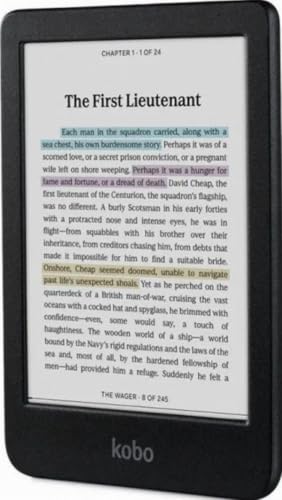 | Kobo Clara Colour 16GB, Black Kobo pick | Library ebooks, EPUB files and colour covers | 6-inch Kaleido 3 colour, IPX8, ComfortLight PRO | Check price → |
 | Kindle Paperwhite 16GB (2024), Without Ads Kindle pick | Kindle Store books, Kindle+ and Audible | 7-inch 300 ppi, warm light, IPX8, up to 12 weeks | Check price → |
 | Kobo Libra Colour 32GB with Black SleepCover Bigger Kobo | Page-turn buttons, a stand cover and colour notes | 7-inch Kaleido 3 colour, page buttons, IPX8, 32GB | Check price → |
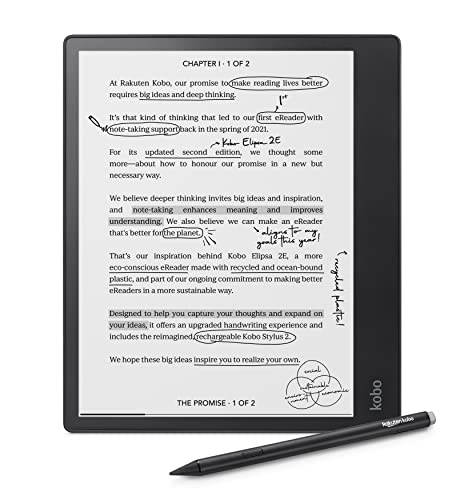 | Kobo Elipsa 2E 32GB with Kobo Stylus 2 Note-taking | Writing on ebooks and PDFs on a large screen | 10.3-inch E Ink Carta 1200, 227 PPI, stylus included | Check price → |