
The Sky Stream puck ships as a WiFi device, and for plenty of households wireless works fine. The moment UHD streams stutter in the evening or a second puck joins the network, the quiet ethernet port on the back becomes the better option. Sky does not make the wired behaviour obvious, and one detail catches almost everyone out: plugging in a cable does not actually move the puck off WiFi.
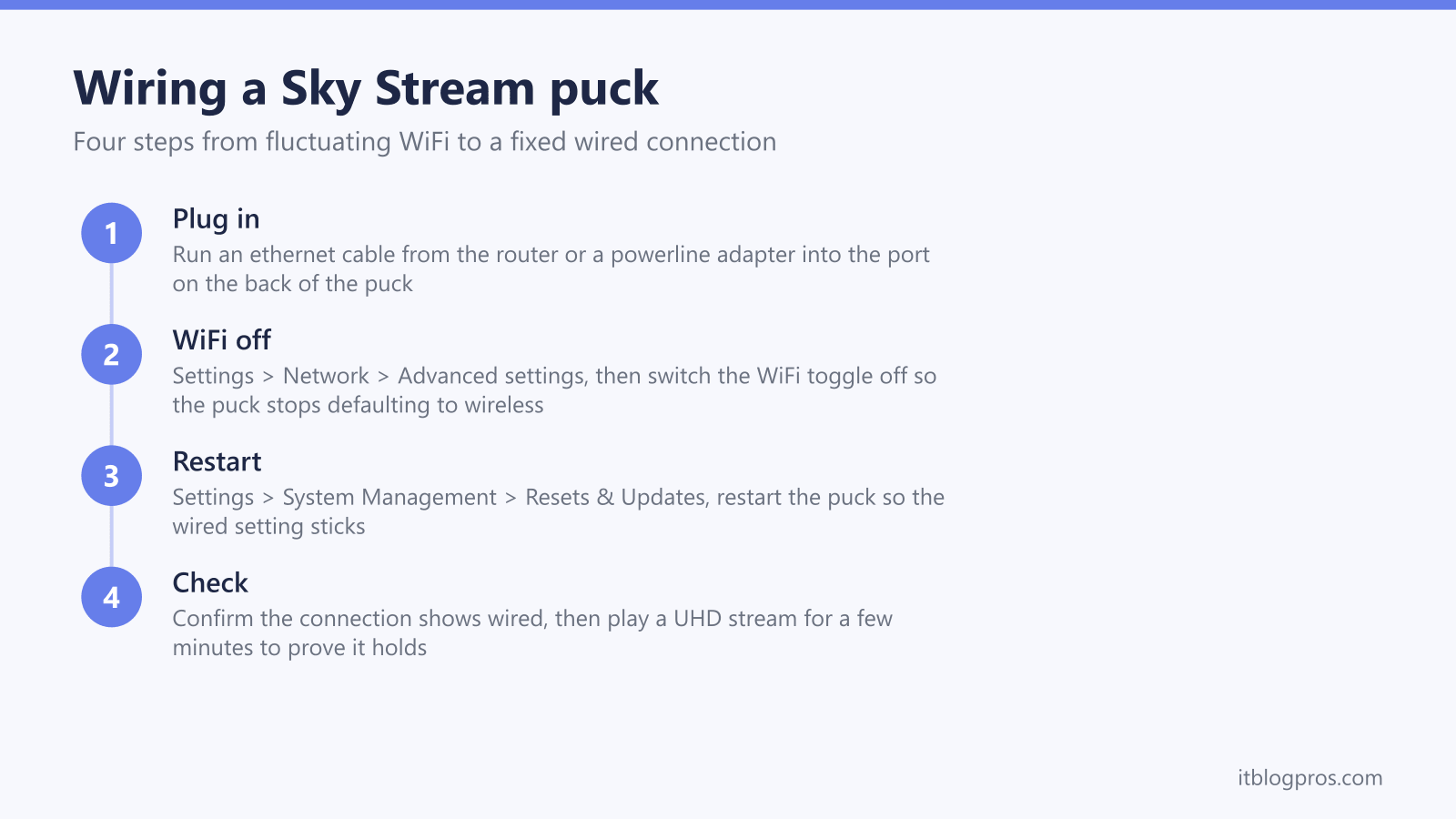
Ethernet gives a Sky Stream puck a steadier connection than WiFi, and the puck's 10/100 port comfortably covers the 30Mbps Sky recommends for UHD. Plugging the cable in is not enough: WiFi stays the default, so turn it off under Settings > Network > Advanced settings, then restart the puck. Where a cable cannot reach, a powerline kit carries the connection over your mains wiring instead.
Key Takeaways
- The Sky Stream puck's ethernet port is 10/100, so wired speeds top out at 100Mbps, still more than triple the 30Mbps Sky recommends for UHD.
- Plugging in a cable does not move the puck off wireless by itself; WiFi stays the default until you turn it off in Settings > Network > Advanced settings.
- A restart from Settings > System Management > Resets & Updates after changing the WiFi toggle makes the wired setting stick.
- Sky ships no ethernet cable in the Stream box, and a flat Cat6 lead runs under carpets and along skirting boards without drilling or trunking.
- Powerline adapters wire a puck room without running cable, though Sky does not officially recommend them because results depend on your home's mains wiring.
The puck's ethernet port is 100Mbps, and that is enough
The port on the back of the Sky Stream puck is a 10/100 ethernet port, not gigabit. Plug it into a full-fibre router and a speed test on the puck will read somewhere around 85 to 95Mbps, because that is the ceiling the port negotiates at. Sky Community superusers and independent reviews confirm the same spec on every puck generation sold so far, and the Sky Glass TV's built-in port carries the same 10/100 limit.
That number looks dated next to a 500Mbps or 900Mbps broadband package, but it is the wrong comparison. Sky's own guidance recommends 25Mbps as the minimum line speed for Sky Stream, rising to 30Mbps for UHD or when an extra puck is added. A single puck never draws anywhere near 100Mbps, so the port has roughly three times the headroom the device can use. What ethernet changes is not the headline speed but the consistency: no interference from neighbouring networks, no signal loss through walls, and no sharing of airtime with every phone and laptop in the house.
One practical note before anything else: Sky does not put an ethernet cable in the box. A Stream puck arrives with the puck itself, a remote, an HDMI lead and a power adapter, so the cable is a separate purchase in whatever length the room needs.
Plugging in the cable is only half the job
Here is the detail that generates a steady stream of Sky Community threads: the puck treats WiFi as its default connection. Leave WiFi enabled and the puck can carry on using wireless, or drift back to it later, even with a perfectly good cable clicked into the port. People wire the puck, assume the job is done, and then wonder why evening buffering never improved. Anyone still seeing stutters once the puck is genuinely wired should work through the full Sky Stream buffering fixes, since the cause then sits somewhere other than the WiFi hop.
The fix is to disable WiFi on the puck manually. Press Home on the remote, then go to Settings > Network > Advanced settings, where a WiFi on/off toggle sits. Switch it off and the puck commits to the wired connection. To reverse the change later, the same toggle turns WiFi back on.
Community superusers add two further recommendations for wired pucks. First, restart the device immediately after changing the toggle, from Settings > System Management > Resets & Updates, so the setting registers cleanly. Second, for the most stable behaviour on ethernet, set Network standby mode to on and overnight power saving to off, which stops the puck dropping and renegotiating its connection after deep sleep. None of this appears in the quick-start leaflet, which is why the wired-but-still-buffering complaint keeps recurring.
Wiring beats any WiFi fix for 4K and multi-puck homes
For a puck sitting a few metres from the router with strong signal, ethernet is a nice-to-have. Two situations turn it into the correct answer rather than an option.
The first is UHD, and live UHD sport in particular. A 4K stream runs close to Sky's 30Mbps recommendation, and live content gives the app far less buffer to hide problems than an on-demand box set does. WiFi throughput naturally fluctuates as interference, distance and household traffic change moment to moment; a dip that a buffered drama absorbs silently becomes a visible resolution drop or a spinner during a match. A wire removes that variability completely, and the puck's usual home, tucked behind the TV panel, is one of the worst spots in any room for radio reception in the first place.
The second is the multi-puck household. Sky Whole Home supports up to six Stream pucks, and every one of them is an independent stream: Sky's guidance moves from 25Mbps to 30Mbps as soon as a second device is added, and each simultaneous UHD stream stacks on top. Three pucks playing at once is a sustained load that even a good router can struggle to deliver wirelessly to three different rooms at the same time, because they all compete for the same airtime. Wiring each puck, whether by cable or powerline, takes them out of that competition entirely and leaves the WiFi free for everything else.
The honest caveats before you buy anything
Ethernet fixes the journey between the router and the puck, and nothing else. A line that only delivers 20Mbps will buffer on UHD whether the puck is wired or wireless, so run a speed test on a device next to the router first. A poor result there is a broadband problem, not a WiFi problem, and no cable solves it.
Powerline adapters carry their own caveats. Sky does not officially recommend them, because performance depends heavily on the age, layout and condition of a home's mains wiring, and results genuinely vary from excellent to unusable between houses. They want a direct wall socket, never an extension lead or surge-protected strip, and moving an adapter to a different socket can noticeably change throughput. In most UK homes they work well, but buy from a retailer with painless returns in case yours is the exception.
Finally, keep the 100Mbps port in mind when shopping. Gigabit powerline kits and Cat6 cable are the sensible defaults because they are now the standard price point and they future-proof the rest of the network, but no cable or adapter will ever make the puck itself sync above 100Mbps. Anything marketed on multi-gigabit speeds is spending money the puck cannot use.
The picks at a glance
| Product | Best for | Key specs | Price | |
|---|---|---|---|---|
 | Jadaol flat Cat6 cable | Homes where a discreet cable run is possible | Flat Cat6 profile, 30 metre length | Check price → |
 | TP-Link TL-WPA7617 powerline kit | Rooms no cable can sensibly reach | Gigabit ethernet port, dual-band WiFi hotspot | Check price → |
The wired kit that does the job
Two pieces of kit cover the two realistic wiring scenarios, and neither costs much against a Sky subscription.
Where a discreet cable run is possible, the Jadaol flat Cat6 ethernet cable is the boring, correct choice. The flat profile slides under carpet edges and hugs skirting boards, the included adhesive clips hold it along the run without drilling, and the snagless connectors survive being fished behind furniture. The 30 metre length crosses most UK homes from the router to a puck room, and shorter lengths exist in the same range if the run is simpler. Cat6 is far beyond what a 100Mbps port needs, which is exactly the point: the cable will never be the bottleneck, and it carries gigabit happily if a console or PC replaces the puck on that run later.
Where the puck sits in a room no cable can sensibly reach, the TP-Link TL-WPA7617 powerline kit does the no-drilling version of the same job. One adapter plugs in near the router, the second plugs into a wall socket in the puck room, and the connection travels over the mains wiring. The puck-end unit has a gigabit ethernet port for the puck itself, two ethernet leads come in the box according to TP-Link's package list, and the same unit also broadcasts a dual-band WiFi hotspot, which quietly improves coverage for phones in that end of the house as a bonus. The mains-wiring caveat from the previous section applies in full: plug both units straight into wall sockets and test it during the returns window.
Households that cannot wire still have a route
Some homes lose on both counts: no realistic cable run, and mains wiring that powerline cannot cross, which is common when the router and the puck sit on circuits fed from different sides of an older consumer unit. In those houses the answer is to fix the wireless side properly rather than fight it, with a mesh system that puts a node in the same room as the puck. A node a metre from the puck turns the difficult long-range WiFi hop into a short, strong one, and the mesh nodes handle the long haul over their own dedicated link. The full breakdown of systems that pair well with Sky's streaming hardware is in the guide to the best mesh WiFi for Sky Glass and Sky Stream, including which systems let the puck connect to the nearest node reliably.