
A smart bulb screws or pushes into an ordinary light fitting and then takes its orders from an app, a voice assistant or a wireless switch. Choosing one comes down to four things: the fitting it has to match, how it connects (a Hue Bridge, Bluetooth or WiFi), whether it supports Matter, and how it copes with the wall switch. This guide takes each one as Philips Hue, TP-Link Tapo, Amazon and the Connectivity Standards Alliance set it out, then lists five bulbs and switches for UK fittings.
Match the cap on the old bulb first: B22 bayonet, E27 or E14 screw, or GU10 spotlight. A Philips Hue starter kit with a Bridge suits a whole home, since Hue lists 50 lights per Bridge against 10 over Bluetooth. A Tapo WiFi bulb needs no hub, but TP-Link lists 2.4 GHz WiFi only. Then leave the wall switch on and keep smart bulbs off old dimmers.
Key Takeaways
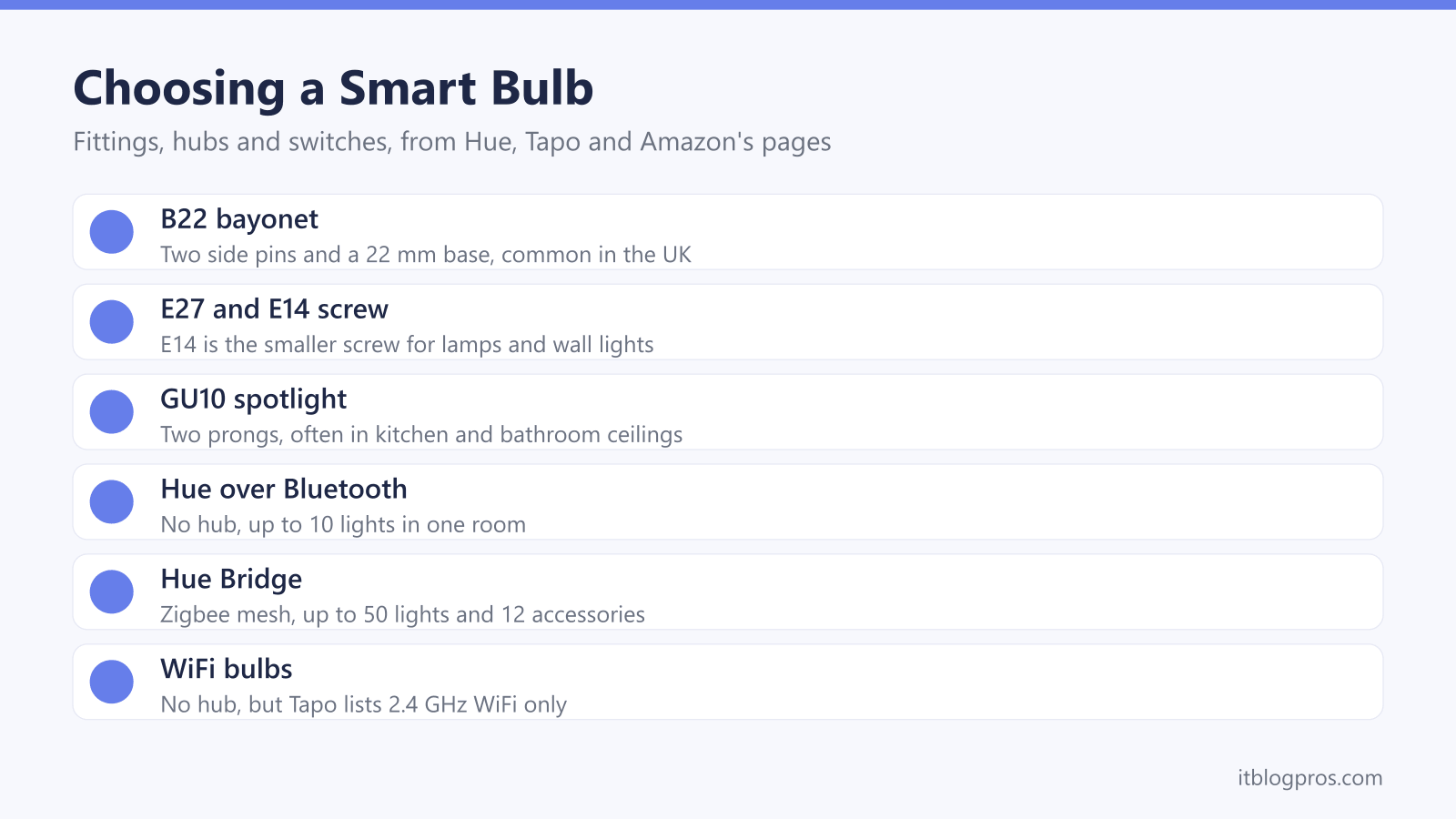
- Philips Hue's bulb size guide says screw and bayonet caps are not interchangeable, so the B22, E27, E14 or GU10 cap on the old bulb decides what to buy.
- Hue's comparison lists up to 10 lights in one room over Bluetooth, 50 lights and 12 accessories on a Hue Bridge, and 150+ lights on the Bridge Pro.
- TP-Link's specifications list the Tapo L535B as 2.4 GHz WiFi only, with Bluetooth used just for setup, and TP-Link calls the bulb Matter-certified.
- Amazon's Echo Dot Max page lists a built-in Zigbee, Matter and Thread Border Router hub, while Amazon's chart shows no built-in hub on the standard Echo Dot.
- TP-Link's L535B page says not to use the bulb with dimmers, and Hue sells its wall switch modules on keeping Hue bulbs powered behind an existing switch.
Check the Fitting Before Buying Any Smart Bulb
Start with the old bulb, not the shop. Philips Hue's bulb size guide says to look at the bulb already in the fitting, and warns that screw and bayonet caps are not interchangeable, so a bulb with the wrong base simply will not go in.
Four caps cover most UK homes. Hue's guide calls B22 bayonet one of the most common UK bases, with two pins sticking out of the side and a 22 mm base. E27 is the Edison screw, which the same guide also lists among the most common UK fittings. E14 is the smaller screw, and Hue says it turns up in wall lights, lamps and chandelier-style fittings. GU10 spotlights have two little prongs underneath and, in Hue's words, often sit in kitchen and bathroom ceilings.
Shape matters as well as the cap. TP-Link's page for the Tapo L535B lists it as an A60 bulb with a B22 cap, and warns that its extra weight may reduce the mechanical stability of some light fittings and lamp holders.
A Hue Bridge Covers the Home and Bluetooth Hue Covers One Room
Philips Hue bulbs talk two ways. Hue's how-it-works page says that without a Bridge, a phone controls the lights directly over Bluetooth, and its comparison lists in-room range with up to 10 lights and 10 accessories. Hue's Bluetooth guide puts that range at about 10 metres.
The Hue Bridge connects to the router by Ethernet cable, according to Hue's Bridge guide, and runs a Zigbee mesh in which every light repeats the signal. Hue lists 50 lights and 12 accessories per Bridge, and 150+ lights and 50+ accessories on the Bridge Pro, which can also join the router over WiFi. Hue's FAQ says the Bridge unlocks away-from-home control and automations, and that Zigbee lights keep running automations and answering switches when the internet is down, although the app and remote control stop.
Starting small costs nothing later. Hue says all its lights are Zigbee-capable, so a Bridge can be added at any time, and Bluetooth-capable bulbs carry the Bluetooth logo on the bulb and its packaging.
WiFi Bulbs Join the Router Directly, on 2.4GHz Only
WiFi bulbs skip the hub altogether. TP-Link's page for the Tapo L535B says it connects directly to the home WiFi network with no hub or extra equipment, and lists schedules, an away mode and remote control through the Tapo app.
The catch is the band. TP-Link's specifications list the L535B as 2.4 GHz WiFi only, with Bluetooth used only for setup, and the Tapo L630 spotlight and L530B bulb pages list 2.4 GHz WiFi too. That matters on routers that merge both bands under a single network name, and the smart plug WiFi guide walks through the same 2.4GHz problem step by step.
Zigbee shares the airwaves without joining the WiFi. Hue's FAQ says Zigbee and WiFi use the same 2.4 GHz band, but Zigbee uses no WiFi bandwidth to control the lights. Each WiFi bulb, by contrast, is one more device connected to the router, which is worth weighing for a house full of them, and the smart home router guide covers routers suited to that.
Matter Support Depends on the Bulb and the Hub
Matter is the cross-brand smart home standard from the Connectivity Standards Alliance, which describes it as one protocol in which devices from multiple brands work natively together. The Alliance says Matter runs over WiFi and Thread network layers and uses Bluetooth Low Energy for setup.
How a bulb gets there varies. Hue's Matter page says the Hue Bridge and Bridge Pro already support Matter, so every Hue light connected to one works with Matter, while products connected only over Bluetooth cannot. Hue's Matter set-up guide adds a second route: newer Matter-enabled Hue bulbs and Essential bulbs can pair directly with a Thread Border Router. That route covers only Matter-enabled lights and gives up Bridge extras such as gradient lighting, dynamic scenes and entertainment sync. Hue's Essential GU10 page lists Matter via the Hue Bridge or third-party Thread border routers.
On the WiFi side, TP-Link calls the Tapo L535B Matter-certified, while its Tapo L630 specification does not mention Matter. Hue's advice is to look for the Matter logo on the bulb or its packaging.
Some Echo Speakers Double as a Smart Home Hub
An Amazon Echo can stand in for a separate hub, but not every Echo has the hardware. Amazon's Echo Dot Max page lists a built-in smart home hub covering Zigbee, Matter and a Thread Border Router, and says it pairs and controls lights, locks and thousands of devices without a separate hub. The standard Echo Dot page lists WiFi, Bluetooth Low Energy Mesh and Matter, and Amazon's comparison chart shows no built-in hub on it.
Philips Hue sets out its own routes to Alexa. Hue's set-up page says an Echo can discover Hue lights over Bluetooth, or link through the Hue skill when a Bridge is used, in which case the connection runs through Matter automatically. For Matter-enabled Hue bulbs without a Bridge, Hue's set-up guide lists the Echo (4th Gen), Echo Hub and Echo Studio among supported controllers. TP-Link lists Alexa, Siri and Google Assistant voice control for the L535B.
The Echo buying guide compares which models carry the hub, and the smart thermostat guide covers heating.
Keep Smart Bulbs Powered at the Wall and Leave Old Dimmers Out
A smart bulb only listens while it has power. Hue's wired wall switch module page makes the point from the other side, saying the module keeps Hue lights powered and controllable even when someone turns off the wall switch. Without one, leave the switch on.
The simplest alternative is a wireless switch. Hue's Dimmer Switch runs on one CR2032 battery, needs no rewiring and fixes to a wall with adhesive or screws, or lifts off as a remote. Hue contradicts itself on the Bridge: the product card says one is required, while the FAQ says that without one the switch connects to up to 10 lights. Hue's battery wall switch module sits behind the existing switch and needs a Bridge, and Hue says fitting it means disconnecting mains wires and checking local regulations on doing that safely.
Old dimmers are the other trap. TP-Link's L535B page says not to use it with dimmers, and its FAQ says a smart bulb is not a standard dimmable bulb. Hue's in-wall guide lists existing rotary dimmers as not compatible with its wired module.
Lumens, Colour Temperature and Power Use Across Five Picks
Hue's bulb size guide says wattage is no longer the useful measure for smart bulbs, and brightness comes in lumens instead. Hue's FAQ puts most smart bulbs at around 800 lumens, roughly a 60 W incandescent. TP-Link lists 1055 lumens, a 75 W equivalent, for the Tapo L535B, and Hue's kit page gives 1,055 lumens at 4000K for each starter kit bulb. Spotlights are dimmer: Hue lists 345 lumens for the Essential GU10 and TP-Link 350 for the Tapo L630, both 50 W equivalents.
Colour temperature is measured in kelvin. Hue's how-it-works page gives 2700 K for its White bulbs and 2200 to 6500 K for White ambiance and White and colour ambiance, running from warm orange to cool blue, although the B22 starter kit page lists 2000 to 6500 K. TP-Link lists 2500 to 6500 K for the L535B.
Power use is small but never zero. TP-Link's smart bulb FAQ says a bulb switched off in the app goes into standby, which TP-Link lists at 0.4 W for the L535B and Hue at 0.5 W for the Essential GU10.
| Product | Best for | Key specs | Price | |
|---|---|---|---|---|
 | Philips Hue White and Colour Ambiance Starter Kit: Bridge, 2 B22 Bulbs and Smart Button Our pick | A whole-home Hue setup on B22 ceiling lights | Hue Bridge, 2 B22 bulbs at 1,055 lm, Smart Button | Check price → |
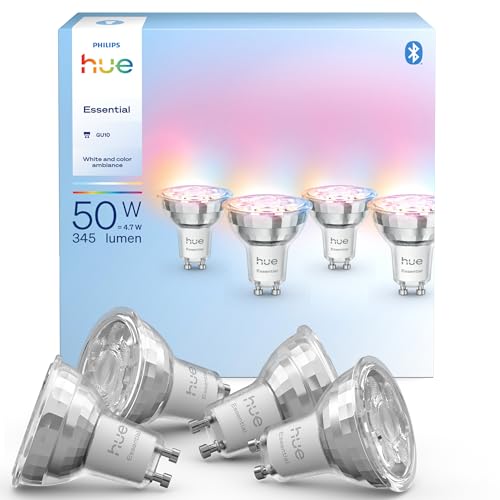 | Philips Hue Essential GU10 Smart Spotlight, White and Colour Ambiance, 4-Pack GU10 spots | Kitchen and bathroom ceiling spotlights | GU10, 345 lm, 4.7 W, 2200-6500 K, Bluetooth and Zigbee | Check price → |
 | Tapo L535B Smart WiFi Bulb, B22, Multicolour, 2-Pack Budget WiFi | No hub and Matter, on a 2.4 GHz home network | B22, 1055 lm, 8.6 W, 2500-6500 K, Matter, 2.4 GHz only | Check price → |
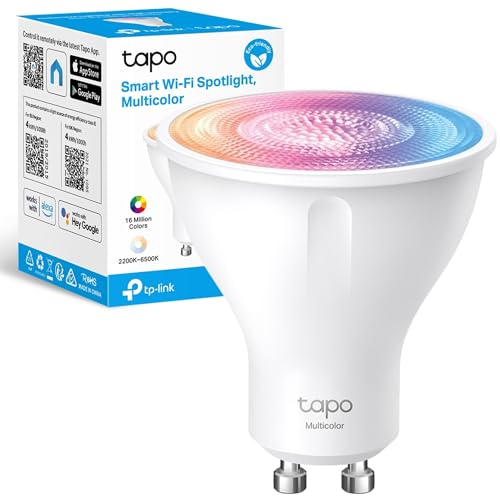 | Tapo L630 Smart WiFi Spotlight, GU10, Multicolour Budget GU10 | A few GU10 spotlights without a hub | GU10, 350 lm, 3.7 W, 2200-6500 K, 2.4 GHz WiFi | Check price → |
 | Philips Hue Dimmer Switch (latest model) Wireless switch | Dimming Hue bulbs without touching the wiring | One CR2032 battery, two configurable buttons, no wiring | Check price → |