iCloud Private Relay and a VPN both hide an iPhone's IP address, so they are easy to mix up, and the Settings app does little to explain the difference. Apple built Private Relay into iCloud+ to protect Safari browsing, while a VPN app covers the whole phone. Which one fits depends on what needs protecting and where the phone is being used.
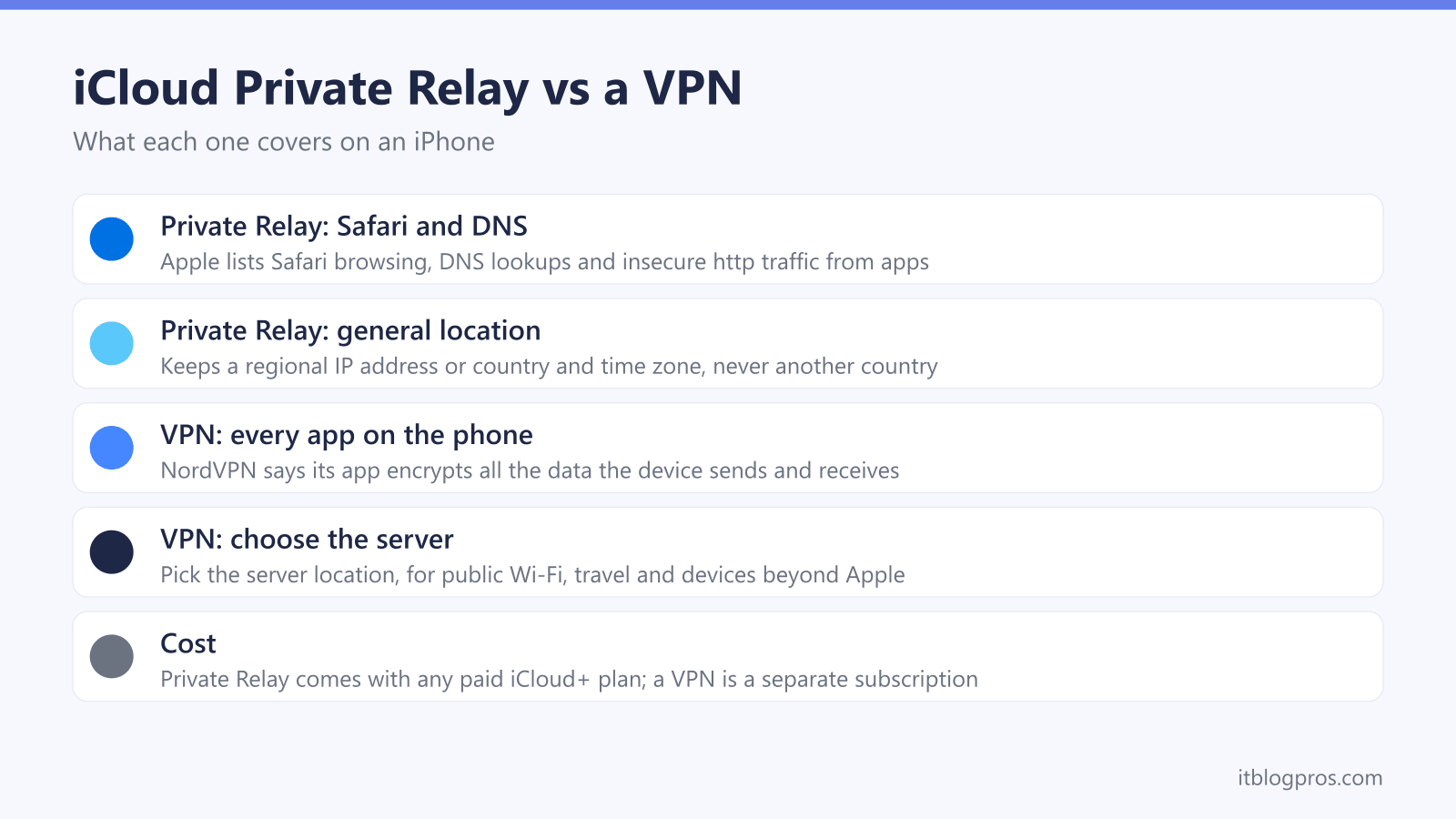
iCloud Private Relay is not a full VPN. Apple says it covers Safari browsing, DNS lookups and insecure http traffic from apps, keeps a general location, and comes with any paid iCloud+ plan. A VPN app such as NordVPN encrypts all of the phone's traffic and lets the user choose a server location. Private Relay suits everyday Safari privacy, and a VPN suits whole-phone cover, public Wi-Fi and travel.
Key Takeaways
- Apple's developer guidance says Private Relay protects Safari browsing, DNS resolution queries and insecure http traffic from apps; it does not list encrypted traffic from other apps.
- Private Relay sends traffic through two relays, the first run by Apple and the second by a third-party content provider, so Apple says no single party sees both who the user is and which sites they visit.
- Apple's iPhone guide offers two location settings, Maintain General Location and Use Country and Time Zone, so Private Relay never lets the user pick another country.
- Apple's iCloud+ plans page lists Private Relay on every paid plan, from 50 GB upwards, but not on the free 5 GB tier.
- NordVPN says its iPhone app encrypts all the data the device sends and receives, which makes a VPN the tool for every app, public Wi-Fi and countries where Private Relay is unavailable.
What iCloud Private Relay Covers on an iPhone
Apple describes Private Relay as part of an iCloud+ subscription, on its About iCloud Private Relay support page. When it is on, Apple's iPhone guide says the traffic leaving the iPhone is encrypted and sent through two separate internet relays, which stops websites seeing the phone's IP address and exact location and stops network providers collecting browsing activity in Safari. At home, the network provider is the broadband company, so BT, Sky, Virgin Media or whoever supplies the line.
The two relays are run by different companies. Apple's support page says the first relay is operated by Apple and sees the user's IP address, while the DNS records are encrypted so neither party can see the address of the website being requested. The second relay is operated by a third-party content provider; it generates a temporary IP address, decrypts the name of the website and connects to it. Apple's summary is that no single party, Apple included, can see both who the user is and which sites they visit.
The scope is narrower than a VPN's. Apple's guidance for network operators says Private Relay protects web browsing in Safari, DNS resolution queries and insecure http traffic from apps. Encrypted traffic from other apps, such as a banking app, a streaming app or a game, is not on that list, so those apps connect as they normally would.
Location is the other limit. Apple's developer guidance says Private Relay uses anonymous IP addresses that map to the region the user is in, and Apple's iPhone guide offers only two settings: Maintain General Location, which keeps local content working in Safari, and Use Country and Time Zone, which makes the location less precise. Neither setting moves the phone to another country.
What a VPN Covers That Private Relay Does Not
A VPN app sends the phone's internet traffic through an encrypted tunnel to a server run by the VPN company. NordVPN's iPhone page says its app encrypts all the data the device sends and receives and conceals the IP address and virtual location, which covers apps as well as Safari.
The user also chooses where that server is. NordVPN says it runs thousands of servers across 225 locations, so a VPN can show a UK address while abroad or a nearby server for speed, which is something Private Relay's two location settings never do. That matters for travel in particular, because Apple says Private Relay is not available in all countries or regions and turns itself off automatically when the phone is somewhere it is not available.
A VPN also reaches beyond Apple devices. NordVPN says one account protects 10 devices, and it lists apps for Mac computers and smart TVs. Private Relay is a setting inside iCloud on Apple devices, and Apple's iPhone guide says it has to be turned on separately on each one.
Private Relay and a VPN Side by Side
| iCloud Private Relay | VPN app (NordVPN) | |
|---|---|---|
| Traffic covered | Safari, DNS lookups and insecure http app traffic, per Apple | All data the device sends and receives, per NordVPN |
| Location shown to websites | Your general region, or country and time zone | The server location the user picks |
| Choose another country | No | Yes |
| Availability | Not in all countries or regions, per Apple | Set by the VPN service, not Apple |
| Devices | Apple devices on the same iCloud+ account | NordVPN says 10 devices per account |
| Cost | Included with any paid iCloud+ plan | Separate subscription; NordVPN offers a 30-day money-back guarantee |
When Private Relay Is Enough
For someone who mostly browses in Safari and already pays for iCloud storage, Private Relay is the simple answer. It costs nothing extra, needs no app, and keeps websites and the broadband company from building a profile from Safari browsing.
It also keeps local results working. With Maintain General Location set, websites still see roughly where the phone is, so local search results and shop stock checks behave normally.
When a VPN Is the Better Tool
A VPN earns its place in four situations. The first is cover for every app, because Private Relay leaves encrypted traffic from apps outside its scope. The second is public Wi-Fi in cafés, hotels, stations and on trains, where NordVPN's iPhone page says its app encrypts the traffic passing to and from the device. The third is travel, both to countries where Apple says Private Relay is unavailable and for reaching UK services from abroad through a UK server. The fourth is a household with Android phones, Windows laptops or a smart TV, none of which has a Private Relay setting.
NordVPN fits those cases on an iPhone. Its iPhone page lists the NordLynx protocol for speed, 256-bit AES encryption, scam and phishing protection that blocks malicious sites and ads, and a Kill Switch, and it covers 10 devices on one account with a 30-day money-back guarantee. For devices that cannot run an app, the guide to setting up NordVPN on a router covers the whole home from one box.
Turning Private Relay On or Off on iPhone
Apple's iPhone guide gives one main switch and one switch per network:
- Turn it on. Go to Settings > [your name] > iCloud > Private Relay and turn on Private Relay. Apple says it has to be turned on separately on each device.
- Turn it off for a day. In the same place, tap Turn Off Until Tomorrow. Apple says it turns back on automatically within 24 hours.
- Turn it off for one Wi-Fi network. Go to Settings > Wi-Fi, tap the info button next to the network and turn off Limit IP Address Tracking. Apple says this turns Private Relay off for that network on every device signed in to the same Apple Account.
- Turn it off for mobile data. The same Limit IP Address Tracking switch sits in the mobile data options for each SIM, and Apple says that setting applies to that SIM only.
- Set the location. Under Settings > [your name] > iCloud > Private Relay > IP Address Location, choose Maintain General Location or Use Country and Time Zone.
When Private Relay Stops Working
Some networks refuse it. Apple's developer guidance says school and work networks that are required to audit all traffic can block Private Relay, and the iPhone then tells the user to turn it off for that network or choose another network. On those networks the only options are to accept the network's rules or use mobile data instead.
Some websites push back too. Apple's support page says that without the user's IP address some websites may need extra steps to sign in or show content, and Apple's troubleshooting page says sites that rely on IP filtering, monitoring or rate-limiting might try to block browsing through Private Relay. For one stubborn site, Safari can show that site the real IP address temporarily, though Apple notes the network provider can then see which site is being visited.
A VPN can clash with it as well. Apple's troubleshooting page warns that on a Mac a VPN or internet filtering app can install settings that are incompatible with Private Relay, and Apple's iPhone guide does not cover the combination. If pages stop loading with both switched on, turn one off for that network and keep the other. For iPhones that show a weak security warning on the home Wi-Fi instead, the guide to weak security Wi-Fi messages on Apple devices explains what the router setting means.